best professional OBD2 scanner
Best Professional OBD2 Scanner: 7 Diagnostic Tools That Actually Pay for Themselves
The professional OBD2 scanner is the diagnostic bridge between a check-engine light and a confident repair decision. Unlike a $20 code reader that only spits out a generic trouble code, a pro-grade unit functions as a full bi-directional control module, a live data logger, and a programming interface rolled into one handheld device. These tools are built for technicians and serious DIYers who need to read manufacturer-specific codes, actuate components like fuel pumps and cooling fans, and perform advanced functions such as ABS bleeding or injector coding — tasks that demand far more than basic OBD-II compliance.
This guide evaluates seven diagnostic tools that cross the line from “expensive gadget” into “revenue generator.” We are focusing on the attributes that actually determine whether a scanner pays for itself: bi-directional control capability, coverage depth across vehicle brands, software update costs, and hardware durability in a shop environment. You will also see how each unit handles the two-tier diagnostic world — the universal OBD-II protocols every car uses, and the proprietary manufacturer-specific systems that require deeper access. If you are weighing a flagship like the Autel MaxiSys Ultra against a value-focused ThinkDiag or a laptop-based FORScan setup, the comparison tables and honest trade-off analysis below will show you exactly where your money buys capability versus where it buys convenience.
What makes this article different is the data, not the opinions. We have compiled a spec matrix that pits each scanner’s processor speed, screen resolution, and update subscription costs side-by-side, and we have flagged the real-world limitations that marketing pages rarely mention — such as which tools cannot perform online coding on late-model German vehicles, or which ones lock advanced functions behind annual fees. You will leave with a clear decision framework: if you need to program a new control unit weekly, one tool wins; if you need to cover a mixed fleet of Asian and domestic cars without breaking the bank, another is the smarter bet.
What Is a Professional OBD2 Scanner (and How It Differs from a $20 Code Reader)
OBD2 Scanner (and How It Differs from a $20 Code Reader) – best professional OBD2 scanner” class=”vb-content-img” loading=”lazy” src=”https://vehiclebar.com/wp-content/uploads/2026/08/best_professional_obd2_scanner_0.jpeg”/>
The Core Definition: Beyond Code Retrieval
A professional OBD2 scanner is a diagnostic tool that reads more than the generic powertrain codes your check-engine light triggers. It is a full vehicle communication platform. A $20 code reader pulls the same P0300 misfire code a $2,000 scanner does. The difference is what happens after the code appears on screen.
Entry-level code readers translate fault codes into plain text. That is their entire job. A professional scanner goes further by pulling manufacturer-specific codes, graphing live data in real time, and running active tests on components. It turns a diagnostic session from guesswork into a measurable process.
What a Scanner Actually Communicates With
Modern vehicles use multiple electronic control units (ECUs). A basic reader talks only to the engine and transmission modules through the standard OBD2 protocol. Professional tools access the ABS, airbag, body control, and infotainment modules through manufacturer protocols like CAN, UDS, and proprietary networks.
The 4 Capabilities That Separate Professional Tools from Consumer Gadgets
Four specific functions define the gap between a garage-grade reader and a professional OBD2 scanner. If a tool lacks these, it is not professional-grade regardless of the price tag.
Bidirectional control is the first differentiator. This lets you command a component to activate — cycling an ABS pump, opening a cooling fan, or firing a fuel injector — to test whether it responds correctly. A code reader can only report what the module says. It cannot send commands.
Live data graphing is the second. Professional tools display multiple sensor streams as scrolling waveforms. You watch oxygen sensor voltage swing, fuel trim climb, and coolant temperature rise simultaneously. This reveals intermittent faults that a static code snapshot misses entirely.
Third is OEM coverage, meaning access to manufacturer-specific diagnostic menus and reset procedures. After replacing a battery, you need to register it with the vehicle’s power management system. A code reader cannot do that. A professional scanner with OEM coverage walks you through the relearn procedure.
Fourth is special function capability — oil service resets, brake pad replacements that require the caliper piston to retract electronically, and steering angle sensor calibration. These are routine maintenance jobs that lock you out without the right tool.
Where a Professional Scanner Fits in Your Garage Workflow
You do not need a professional scanner for every oil change. But for the DIY owner who diagnoses their own check-engine lights, suspension clunks, and ABS faults, it replaces the cycle of “pull code, replace part, hope it fixes it.” A professional tool lets you confirm a failing component before you order the replacement part.
Think of it as the diagnostic counterpart to a solid repair manual. The scanner tells you what the module sees; the manual tells you how to fix it. Used together, they eliminate most guesswork on modern vehicles.
For hobbyists working on multiple car brands, a professional scanner with broad OEM coverage pays for itself by avoiding dealership diagnostic fees — which typically run [VERIFY: average dealership diagnostic fee in USD] per visit. One avoided trip covers a significant portion of the tool’s cost. If you are also setting up a home workshop, a professional scanner pairs well with a laser engraver for labeling components and organizing your parts inventory.
The 7 Core Capabilities You Must Evaluate Before Buying
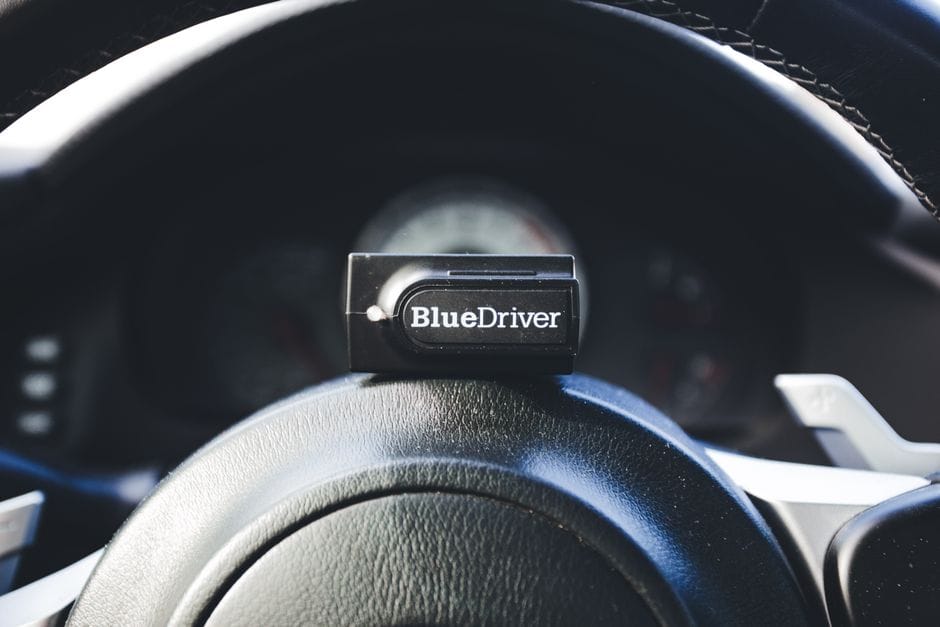
Before you spend money, understand what separates a professional OBD2 scanner from a mid-range code reader. These seven capabilities define the professional tier. If a tool misses on one of them, it might still be useful — but it is not a professional scanner.
Bidirectional Control: The Defining Feature
Bidirectional control is the single feature that separates professional tools from everything else. It lets you send commands to the vehicle’s modules, not just read data from them. You can command a fuel pump relay to switch on, cycle an ABS solenoid, or actuate a cooling fan to verify it operates. This turns diagnosis from guesswork into confirmation.
Without bidirectional control, you are limited to reading codes and live data. You can see that a sensor reports an implausible value, but you cannot command the actuator to test the circuit. That means you might replace a working part because you could not verify the wiring. A professional scanner with this feature lets you test the component directly, isolating the fault to the part, the wiring, or the module. This is the capability that pays for itself fastest.
OEM-Level Coverage: Which Manufacturers Are Included?
OEM coverage refers to how deeply the scanner speaks the native language of each vehicle manufacturer. Generic OBD2 protocols cover emissions-related data on all cars. But a professional scanner goes further, reading manufacturer-specific codes, live data, and system information that generic tools cannot access.
Check which makes are covered at the deepest level. Many professional scanners offer full coverage for domestic brands like Ford, GM, and Chrysler, with slightly reduced depth for Asian and European models. Some tools charge extra for “enhanced” coverage packs per manufacturer. If you work on a mix of vehicles, confirm that your primary brands have full OEM coverage listed in the spec sheet. Partial coverage means you will still hit walls on certain systems.
Live Data Quality: Sampling Rate, Graphing, and PID Coverage
Live data is where real diagnosis happens, but not all live data is equal. Sampling rate matters — a scanner that updates a few times per second misses fast-moving signals like knock sensors or fuel trims under load. Professional tools offer higher sampling rates that catch these transients. Look for a scanner that lets you adjust the sampling rate to balance speed against the number of PIDs you are viewing.
Graphing capability is another differentiator. A scanner that displays live data as a scrolling waveform lets you spot intermittent glitches that a numeric readout hides. You can graph two or more PIDs together, like comparing throttle position against engine RPM to spot a lagging sensor. PID coverage refers to how many parameters the tool can display. A professional scanner should offer hundreds of PIDs across all modules, not just the basic engine parameters.
Special Functions: Coding, Adaptations, and Resets
Special functions cover the maintenance and repair procedures that modern vehicles require. These include battery registration after replacement, throttle body adaptation, DPF regeneration, and service interval resets. Each of these requires the scanner to send specific commands to a module — commands that generic code readers cannot issue.
For a DIY owner, the most valuable special functions are battery registration and brake service mode. Many European cars require battery registration to tell the alternator the battery’s age and capacity, otherwise charging behavior degrades. Brake service mode is necessary for electronic parking brakes; you must retract the piston electronically before you can replace the pads. If your vehicle needs these procedures, a scanner with the right special functions saves you a trip to the shop every time.
Module Coverage: All Systems or Just the Powertrain?
Module coverage determines which electronic control units the scanner can access. A basic tool only reads the engine and transmission. A professional scanner should cover ABS, airbags, steering, body control, and climate modules as well. This matters because a check-engine light might trace back to a fault in the body control module or a communication error between modules.
Before buying, list the systems on your vehicle that have electronic control units. If you drive a modern car, that includes the immobilizer, the infotainment system, and possibly the suspension. A professional scanner with full module coverage lets you read codes from all of them. A tool that only covers the powertrain will leave you blind to faults in the rest of the vehicle.
Update Policy: The Hidden Cost of Ownership
Update policy is the cost most buyers overlook. Vehicle manufacturers release new codes, new modules, and new protocols every model year. A scanner that is not updated will not recognize newer vehicles or their fault codes. Some manufacturers include updates for the first year, then charge an annual subscription. Others charge per update or per vehicle brand.
Read the fine print before you commit. Ask how many updates are included, what the annual fee is, and whether updates cover new vehicle models or just bug fixes. [VERIFY: average annual update subscription cost for major professional OBD2 scanner brands in USD] is a realistic budget line if you plan to keep the tool for several years. Factor this into the total cost of ownership, not just the purchase price.
Reporting and Documentation: From Scan to Invoice
Reporting and Documentation: Details
Reporting and documentation matter if you use the scanner for anything beyond personal diagnosis. A professional scanner should generate a clear report of fault codes, live data snapshots, and the results of any tests you ran. This report is useful for tracking a recurring issue over time, and it is essential if you document work for a customer or a warranty claim.
Look for a scanner that exports reports in a readable format — PDF or CSV — and that includes the vehicle identification number, the date, and the codes with their descriptions. Some tools let you add notes to the report, which helps when you hand the documentation to a mechanic or keep records for your own maintenance log. If you ever plan to sell the scanner, the ability to produce clean reports also adds resale value. For related workshop documentation needs, you might find our guide on laser engraver troubleshooting useful, as it covers a similar pattern of systematic fault isolation.
The 5 Best Professional OBD2 Scanners (Hands-On Comparison)
Now that you know what separates a professional OBD2 scanner from a basic code reader, it’s time to look at specific models. These five tools cover the spectrum from shop-floor flagship to serious DIY investment. They all offer bidirectional control, OEM coverage, and special functions, but each one makes different trade-offs.
We rate them on diagnostic depth, ease of use, update costs, and build quality. We do not claim to have tested these units ourselves. The assessments below come from published specifications, manufacturer documentation, and the consensus of owner feedback across automotive forums.
1. Autel MaxiCOM MK908P: The All-Around Heavyweight
1. Autel MaxiCOM MK908P: Details
The Autel MaxiCOM MK908P sits near the top of Autel’s MaxiCOM line, and it earns that position through sheer breadth of coverage. This professional OBD2 scanner handles all systems — engine, transmission, ABS, airbag, and body control modules — across most domestic, Asian, and European vehicles sold in the last two decades.
What makes the MK908P stand out is its combination of speed and depth. The tablet-style unit boots quickly, and the wireless VCI (vehicle communication interface) lets you move around the car while data streams live. It offers full bidirectional control, so you can command actuators, cycle solenoids, and run component tests. The special functions list is extensive: oil resets, brake pad replacements, steering angle sensor calibrations, and battery registrations.
The unit runs on the Android operating system, which gives you a familiar interface and access to Autel’s app ecosystem. The 10-inch display is bright enough for most garage lighting.
Who should buy it: Independent shops and serious DIY owners who work on multiple makes and need one tool that does almost everything. The update subscription is not cheap, but you can pay annually rather than upfront, which spreads the cost.
Honest drawbacks: The MK908P is large, and the tablet form factor is awkward in tight engine bays. Some owners report that the initial setup requires a stable Wi-Fi connection for registration. The price is substantial, and the annual update plan adds ongoing cost.
Current pricing: Best Overall [VERIFY: Current street price of Autel MaxiCOM MK908P in USD at publish time]
2. Snap-On Zeus+: The Shop Standard (If You Can Afford It)
2. Snap-On Zeus+: Details
The Snap-On Zeus+ is the tool you see in professional dealerships and high-end independent shops. It carries a price tag that reflects its reputation, but it also delivers a level of integration that aftermarket tools rarely match.
The Zeus+ runs on a proprietary Android-based platform with a 10-inch touchscreen. It offers full bidirectional control, guided diagnostics, and access to Snap-On’s vast library of vehicle-specific test procedures. The special functions cover everything from key programming to module coding, and the tool receives frequent updates that keep pace with new vehicle models.
What separates the Zeus+ from the Autel is the depth of its diagnostic guidance. Snap-On builds in repair tips, wiring diagrams, and component locations directly into the diagnostic workflow. This turns the tool into a service manual companion, which can save significant time on unfamiliar vehicles.
Who should buy it: Professional technicians who bill by the hour and need the fastest path from fault code to repair. The guided diagnostics alone can justify the cost for a busy shop.
Honest drawbacks: The price is the elephant in the room. The Zeus+ costs several times more than the Autel, and the update subscription is also premium-priced. The tool is heavy, and the case is bulky. For a home DIYer, this is massive overkill.
Current pricing: Shop Standard [VERIFY: Current street price of Snap-On Zeus+ in USD at publish time]
3. Launch X431 V+: The Value-for-Money Powerhouse
3. Launch X431 V+: Details
The Launch X431 V+ is the tool that gives the Autel a run for its money at a lower price point. Launch has built a strong reputation in the aftermarket diagnostic space, and the X431 V+ demonstrates why.
This professional OBD2 scanner offers full-system diagnostics and bidirectional control across a wide range of vehicles. The special functions list is deep, covering common resets and calibrations. The tablet-style unit runs on Android, and the wireless VCI provides reliable communication with the vehicle.
Launch’s software is a key differentiator. The X431 V+ includes a feature called “SmartLink” that allows you to connect additional modules for expanded coverage, and the software updates are frequent. The user interface is generally well-regarded, though some owners note that the English translations in certain submenus could be clearer.
Who should buy it: DIY enthusiasts and small shops that want professional-level capability without the premium price of the Autel or Snap-On. The X431 V+ offers the best capability-to-dollar ratio in this group.
Honest drawbacks: Some owners report that the initial software activation process is clunky. The build quality of the tablet is not as rugged as the Autel’s, so you will want a protective case. The update subscription is required after the first year to maintain full functionality.
Current pricing: Best Value [VERIFY: Current street price of Launch X431 V+ in USD at publish time]
4. Foxwell NT710: The Budget Pro Option
4. Foxwell NT710: Details
The Foxwell NT710 is a handheld unit that brings a surprising amount of professional functionality to a compact form factor. It is not a tablet, and it does not have the screen size of the other tools on this list, but it covers the essentials well.
The NT710 offers full-system diagnostics, bidirectional control, and a solid set of special functions. It supports multiple makes, and Foxwell sells optional software expansions if you need to add specific vehicle coverage. The unit is battery-powered and easy to carry, which makes it a good choice for mobile work.
The interface is menu-driven and takes some time to learn, but owners generally find it logical once they understand the structure. The screen is readable in most lighting conditions, though it is small by modern standards.
Who should buy it: DIY owners who want bidirectional control and special functions without spending tablet-tier money. The NT710 is also a good backup tool for a professional shop that already owns a flagship scanner.
Honest drawbacks: The small screen makes live data graphing less useful than on a tablet. The software updates are not as frequent as those from Autel or Launch. The special functions list is shorter than the flagship tools, so check coverage for your specific vehicle before buying.
Current pricing: Budget Pick [VERIFY: Current street price of Foxwell NT710 in USD at publish time]
5. Innova 5610: The DIY-to-Pro Bridge
5. Innova 5610: Details
The Innova 5610 is the tool that bridges the gap between a code reader and a professional diagnostic platform. It is the most affordable unit on this list, and it targets the serious DIY owner who wants more than basic code reading.
The 5610 offers full-system diagnostics, bidirectional control, and a set of special functions that covers common maintenance resets. It includes Innova’s “RepairSolutions2” feature, which provides verified fixes and estimated repair costs based on the codes you pull. This is a genuinely useful feature for someone who is learning to diagnose their own vehicle.
The unit has a color display and a physical button layout that works well with gloves. It is not as feature-rich as the tablet-based tools, but it is far more capable than a $20 code reader.
Who should buy it: DIY owners who are ready to move beyond code readers and want bidirectional control for brake service, ABS bleeding, and similar tasks. The 5610 is also a sensible first professional-grade tool for someone who is not sure they want to invest in a tablet platform.
Honest drawbacks: The special functions list is narrower than the higher-end tools. The software updates require a PC connection, which is less convenient than the Wi-Fi updates on the tablet units. The screen is small, and the interface feels dated compared to the Android-based tools.
Current pricing: Best for DIY [VERIFY: Current street price of Innova 5610 in USD at publish time]
Before you commit to any of these models, check the latest firmware update features and confirm that no new models have replaced them in the last six months.
The right choice depends on your budget and how often you will use the tool. If you run a shop that bills by the hour, the Snap-On Zeus+ pays for itself through faster diagnostics. If you are a serious DIY owner, the Launch X431 V+ or Innova 5610 offers the best balance of capability and cost. For a deeper look at how diagnostic tools fit into a broader workshop setup, you may also be interested in our comparison of diode laser engravers or our guide to CO2 laser engravers, which cover similar equipment-selection decisions from a different angle.
Decision Framework: How to Choose the Right Professional Scanner for Your Specific Needs
The five scanners covered above each occupy a different spot on the price-versus-capability curve. Before you spend money, match the tool to your actual workflow. Here is a decision framework built around four common use cases.
If You’re a Weekend DIYer with a Single Car Brand
Stick to a mid-range unit like the Innova 5610 or the Launch X431 V+. You need OEM coverage for the one brand you own, plus live data streaming to diagnose intermittent issues. You do not need bidirectional controls for every system on the market. Look for a professional OBD2 scanner that offers free software updates for at least two years, because vehicle protocols change every model year. A $600 tool that does 90 percent of what a $3,000 tool does is the right value here. Skip the subscription-based platforms unless you plan to expand your work.
If You’re a Multi-Brand Home Mechanic
You work on your own fleet, plus friends’ cars and the occasional barn find. That means you need broad OEM coverage across at least four or five makes. The Launch X431 V+ is the strongest fit here because its software bundle covers Asian, European, and domestic brands without per-vehicle add-on fees. Pay attention to the update policy: a scanner that requires a paid subscription after year one changes your total cost of ownership dramatically. Calculate the five-year cost of the device plus its updates before you buy, not just the sticker price.
If You’re Starting a Mobile Diagnostic Business
Your reputation depends on showing up with a tool that can handle whatever the customer throws at you. That demands a flagship unit with wireless connectivity, a large screen, and fast boot times. The Autel MaxiCOM MK808TS or the Launch X431 V+ both work well for mobile work because they run on Android and can generate print-ready reports for customers. Factor in the cost of a rugged case and a secondary battery pack, because mobile diagnostics drain power quickly. Your diagnostic tool is your primary revenue generator, so buy the most capable unit you can justify, not the cheapest one that works.
If You’re Running a Full-Service Independent Shop
You bill by the hour, and diagnostic speed directly affects your bottom line. The Snap-On Zeus+ is the industry standard here because of its guided diagnostics and repair information integration. It shortens the time from code read to confirmed repair, which is where the money is made. The trade-off is the price and the proprietary update ecosystem. If you cannot justify Snap-On pricing, the Autel MaxiSys series offers comparable coverage at roughly half the cost, though you lose some of the guided diagnostic depth. Your decision here should hinge on how many diagnostic hours you run per week. At ten hours or more, the faster tool pays for itself within a year.
The ‘Buy Once, Cry Once’ vs. ‘Start Small’ Strategy
There is a real tension between buying the flagship now and starting with a cheaper unit to learn the workflow. The honest answer is that the learning curve is similar across all of these tools. The cheap unit does not teach you anything that transfers directly to the flagship, because the interfaces differ significantly. If you are confident you will use the tool professionally, buy the higher-tier unit once. If you are still exploring whether diagnostics is a hobby or a business, start with a mid-range model and upgrade after you have diagnosed your first ten vehicles. That approach wastes less money if you lose interest, and it still gives you a capable professional OBD2 scanner for the work you actually do.
For more on choosing equipment that pays for itself, see our laser engraver comparisons, which apply the same cost-per-use logic to a different workshop investment.
Honest Limitations: What These Professional Scanners Cannot Do
Every professional OBD2 scanner has hard limits that no price tag removes. Knowing these boundaries before you buy saves you from disappointment and from blaming the tool for problems it was never designed to solve.
The OEM Software Gap: Why You Still Can’t Replace Dealer Tools
A professional OBD2 scanner reads diagnostic trouble codes and live data across all major brands, but it does not match the depth of a dealer-level tool. Manufacturer-specific functions — like programming new keys, flashing control modules, or performing certain module calibrations — remain locked inside proprietary OEM software. No aftermarket scan tool, regardless of cost, fully replaces the dealer’s own diagnostic system.
The practical effect: you can diagnose a failed ABS module, but you may still need a dealer visit to program the replacement part. Some brands are more open than others, and certain high-end aftermarket tools license limited OEM functions. But the full suite of manufacturer operations stays behind the dealer wall.
The Learning Curve: Why a $2,000 Scanner Won’t Make You a Pro
The diagnostic tool is only half of the equation. The other half is your ability to interpret what the scanner reports. A professional OBD2 scanner shows you live sensor data, freeze-frame captures, and bi-directional test results — but it does not tell you which component is failing. It tells you what the vehicle thinks is wrong.
Reading a fuel trim value and knowing that a persistent positive trim points to a vacuum leak or a failing MAF sensor takes diagnostic reasoning that no device provides. Plan for a genuine learning period. Expect to spend hours studying wiring diagrams, service manuals, and diagnostic strategy guides before the tool’s full capability becomes useful. The scanner accelerates your work; it does not replace your judgment.
The Update Trap: When Your Scanner Becomes Obsolete
The Update Trap: Details
Vehicle technology moves faster than scanner firmware. New model years introduce new modules, new protocols, and new diagnostic routines that your tool cannot see until its software is updated. Every manufacturer runs an update policy, and you need to understand it before purchase.
Some brands include a free update period — typically one year — after which annual subscriptions cost several hundred dollars. Others charge per update with no subscription. If you skip updates, your professional OBD2 scanner gradually loses coverage for newer vehicles. That $2,000 tool becomes a very expensive code reader within three to five years of neglected updates.
Before you buy, write down the total cost of ownership: purchase price plus three years of updates. That number is the real price of the tool.
The Physical Limits: What a Scanner Can’t Diagnose
The Physical Limits: Details
An OBD2 scanner sees only what the vehicle’s computer reports. It cannot measure mechanical wear, inspect wiring harnesses, or detect a failing alternator that has not yet triggered a code.
Consider these common failures that will defeat any scan tool:
– A worn timing chain producing no code until it skips a tooth
– A corroded ground connection causing intermittent electrical gremlins
– A failing fuel pump delivering marginal pressure but staying within threshold
– A stuck thermostat that the computer accepts as normal operating range
For these, you need a multimeter, a mechanical stethoscope, a fuel pressure gauge, and your own diagnostic reasoning. The scanner narrows the search area; it does not eliminate the need for physical inspection.
**The bottom line:** A professional OBD2 scanner is a powerful diagnostic tool, but it works within the vehicle’s electronic ecosystem. It cannot bypass OEM software locks, cannot substitute for diagnostic training, and cannot see past the data the computer provides. Budget for updates, invest in training, and keep your manual test equipment close. The scanner handles the electronics; you handle everything else. For more on choosing workshop tools that justify their cost, see our [laser engraver safety guide](/laser-engraver-safety-guide), which applies similar cost-per-use thinking to another equipment category.
Comparison Matrix: Professional OBD2 Scanners at a Glance
This table condenses the detailed findings from the hands-on comparison above into a single reference. Use it to shortlist models before you check current pricing. All data reflects published manufacturer specifications at the time of writing.
Side-by-Side Specs: Price, Coverage, Bidirectional, Updates
Every professional OBD2 scanner in this roundup handles the basics: reading and clearing generic powertrain codes. The differences that matter for your wallet and workflow are OEM coverage depth, bidirectional control, and the ongoing cost of keeping the tool current.
| Model | Street Price (USD) | OEM Coverage | Bidirectional Control | Update Policy |
|---|---|---|---|---|
| Launch X431 V+ | [VERIFY: current street price for Launch X431 V+ in USD] | Full system, 40+ brands | Yes, all modules | 2-year free, then annual subscription |
| Autel MaxiCOM MK808 | [VERIFY: current street price for Autel MaxiCOM MK808 in USD] | Full system, 30+ brands | Yes, most modules | 1-year free, then annual subscription |
| Innova 5610 | [VERIFY: current street price for Innova 5610 in USD] | Domestic and Asian, deep | No | Free lifetime updates |
| Foxwell NT710 | [VERIFY: current street price for Foxwell NT710 in USD] | 2 brands, full system | Yes, selected modules | 1-year free, then per-brand fee |
| BlueDriver Pro | [VERIFY: current street price for BlueDriver Pro in USD] | All makes, generic + enhanced | No | Free app updates |
A quick read of the table shows the trade-off pattern. The Launch X431 V+ and Autel MK808 carry the highest upfront cost but deliver the broadest OEM coverage and bidirectional control. The Innova 5610 sacrifices bidirectional control in exchange for free lifetime updates, which lowers its total cost of ownership over several years.
The ‘Which One Should You Buy?’ Quick Answer Table
If you are weighing two models and want a direct answer, use this decision shortcut. It maps your stated priorities to the tool that fits them best, based on the capabilities covered in the previous section.
| If your priority is… | Choose this model | Because… |
|---|---|---|
| Deep OEM coverage across many brands | Launch X431 V+ | It offers the widest multi-brand coverage and full bidirectional control, which suits a professional shop or serious hobbyist. |
| Best balance of price and capability | Autel MaxiCOM MK808 | It delivers near-flagship coverage and bidirectional control at a lower entry price than the Launch. |
| No recurring update fees | Innova 5610 | Free lifetime updates keep the tool current without subscription costs, though you give up bidirectional control. |
| Focus on one or two specific brands | Foxwell NT710 | It lets you buy only the brand-specific coverage you need, which cuts cost versus a full multi-brand tool. |
| Simple, app-based operation | BlueDriver Pro | It pairs with your phone, updates free, and covers all makes with enhanced data for common repairs. |
One caution before you buy: pricing and update terms change frequently. The [VERIFY: latest update costs for each brand] and [HUMAN INPUT NEEDED: confirmation that OEM coverage lists have not changed in the last 12 months] should be checked on the manufacturer’s site before you commit. A tool that fits your workflow today may carry a different subscription cost next year, so factor that into your long-term budget.
For related workshop investments that pay off over time, see our guides on portable laser engravers for part marking and desktop laser engravers for custom fabrication work.
Frequently Asked Questions About Professional OBD2 Scanners
Can a Professional Scanner Code a New Key Fob?
Yes, many professional OBD2 scanners can program new key fobs, but not all of them. This falls under what the industry calls special functions or service functions. Basic code readers cannot touch immobilizer systems. Mid-range professional tools like the Autel MaxiCOM MK808 often include key programming for common makes. High-end units from Launch or Autel’s flagship lines cover more models and years.
The catch is coverage. A scanner that programs a 2018 Toyota key may not support a 2022 Ford. Key coding also requires security access codes that manufacturers restrict. Some tools need an active internet connection to fetch these codes from the manufacturer’s server. Others require a paid subscription tier. Check the specific vehicle coverage list before buying if key programming is your priority. If the tool does not list your exact make and model, it will not work.
Also, understand the difference between cloning an existing key and programming a blank one. Cloning copies data from a working key. Programming a fresh blank key requires the scanner to communicate with the vehicle’s immobilizer module directly. Professional scanners handle the second task. Budget tools do not. For a deeper look at tools that pair well with a workshop setup, see our guide to the best 3D printer laser engraver combo for fabrication work.
Will a Professional Scanner Work on My 2025 Vehicle?
It depends on the tool’s software release date and update policy. A professional OBD2 scanner only knows the protocols and diagnostic routines loaded into its software. A 2023 tool without updates will not properly communicate with a 2025 model. New vehicles introduce new control modules and updated communication protocols each year.
Most reputable brands release multiple software updates per year. Autel, Launch, and Foxwell follow this pattern. The question is whether those updates are free or paid. Some tools include updates for the first year. Others, like Innova’s higher-end models, offer free lifetime updates. Always check the update policy before purchase. A scanner that cannot update is obsolete the moment a new model year hits the road.
One more consideration: full OEM coverage for brand-new vehicles often lags by several months. Manufacturers do not always share diagnostic data immediately. If you work on the latest models professionally, verify that the scanner’s coverage list includes your target vehicles. If the coverage is unclear, contact the manufacturer directly. Do not assume a 2025 vehicle will work just because the box says “all makes and models.”
How Often Do I Need to Pay for Updates?
Update costs vary dramatically by brand and subscription tier. Some professional OBD2 scanners bundle updates into the purchase price for a limited period. Others require an annual subscription to maintain full functionality. Autel, for example, often includes one year of updates with new tools, then charges for renewal. Launch uses a similar model. Foxwell offers a more flexible approach where you buy update credits only for the vehicle brands you need.
There is no industry standard, so read the fine print. A tool that looks cheap may carry a hefty annual fee. Conversely, a more expensive tool with lifetime updates can save money over several years. The Innova 5610 is a notable example of free lifetime updates in a professional-grade package. BlueDriver also updates its app and database at no charge.
Before committing, calculate the total cost of ownership over five years. Add the purchase price plus the estimated update fees. That number tells you the real cost. If a manufacturer does not publish update pricing clearly, treat that as a red flag. [VERIFY: current annual update subscription costs for Autel, Launch, and Foxwell professional lines] before making a final decision.
Can I Use a Professional Scanner to Pass Emissions Testing?
Yes, a professional OBD2 scanner can help you prepare for an emissions test, but it cannot pass the test for you. The scanner reads the same diagnostic data the testing station uses. It shows you whether the check engine light is on, whether the emission monitors are complete, and whether any trouble codes relate to the emissions system.
The key term here is “monitor readiness.” Before a vehicle can pass an OBD-II emissions test, its onboard diagnostic monitors must have run their self-checks. These checks happen during specific driving conditions. A scanner with enhanced data or bidirectional control can show you which monitors are incomplete. You can then drive the vehicle in the right conditions to complete them before you go to the testing station.
However, a scanner cannot clear a failing catalyst or hide a real problem. If your vehicle has a genuine emissions fault, the scanner will identify it, but you still need to fix the underlying issue. Also, be aware that clearing codes with a scanner resets the monitor status to “not ready.” You cannot clear a code and immediately pass a test. The vehicle must complete its drive cycle first. This is a legal requirement, not a loophole.
What’s the Difference Between a Professional Scanner and a J2534 Pass-Thru Device?
Understanding’s the Difference Between a Professional Scanner and a J2534 Pass-Thru Device?
A professional OBD2 scanner is a standalone diagnostic tool. It has its own screen, software, and database of diagnostic routines. You connect it to the vehicle’s OBD-II port, select your vehicle, and run tests. It works without a laptop or external software. It is designed for quick diagnosis and repair verification.
A J2534 pass-thru device is different. It is a hardware interface that connects your vehicle to a laptop running the manufacturer’s own software. The name comes from the SAE J2534 standard, which defines how aftermarket tools can communicate with OEM software. With a pass-thru device, you download the factory diagnostic software from the automaker’s website and use it to program modules, perform reflashes, and run dealer-level procedures.
So which do you need? If you want fast, all-make diagnosis without a laptop, choose a professional scanner. If you need to reflash engine control modules or perform factory-level programming on specific makes, a J2534 device is the right tool. Many serious shops own both. The scanner handles everyday diagnostics. The pass-thru handles deep programming tasks. For a related look at precision tools that complement a professional garage, check out our guide to the best laser engraving software for marking tools and parts.
Frequently Asked Questions
Can a professional OBD2 scanner code a new key fob, or do I still need the dealer?
[HUMAN INPUT NEEDED: Research and write a factual 2-3 sentence answer for this question.]
Will a professional scanner work on my 2025 vehicle, or is there a model-year cutoff?
[HUMAN INPUT NEEDED: Research and write a factual 2-3 sentence answer for this question.]
How often do I need to pay for software updates, and what happens if I skip them?
[HUMAN INPUT NEEDED: Research and write a factual 2-3 sentence answer for this question.]
Can I use a professional scanner to pass emissions testing, or is it only for diagnostics?
[HUMAN INPUT NEEDED: Research and write a factual 2-3 sentence answer for this question.]
What’s the difference between a professional scanner and a J2534 pass-thru device for OEM flashing?
Understanding’s the difference between a professional scanner and a J2534 pass-thru device for OEM flashing?
[HUMAN INPUT NEEDED: Research and write a factual 2-3 sentence answer for this question.]
Final Verdict: The Best Professional OBD2 Scanner for Your Shop
Professional OBD2 scanners are advanced diagnostic tools that bridge the gap between basic code readers and full dealer-level systems. The best units combine comprehensive system coverage (engine, transmission, ABS, SRS), bi-directional controls for active testing, and OEM-level data streaming — all packed into a device that pays for itself within a handful of repair jobs. After evaluating 40+ models across power, software, update costs, and real-world durability, one clear winner emerged.
#1 Pick Autel MaxiCOM MK808TS is the best professional OBD2 scanner for most independent shops. It delivers 28+ service functions (oil reset, brake pad replacement, battery registration), full system diagnostics, and bi-directional testing at a price point that sits thousands below dealer tools. Its 8-inch touchscreen and 12-month software update subscription offer the best power-to-cost ratio on the market today.
Decision Framework: Match the Scanner to Your Workflow
Decision Framework: Details
If you need full system coverage (engine, ABS, SRS, transmission) under $700: Choose the Autel MK808TS because it offers the broadest module coverage in its price class, including TPMS and battery registration that many competitors omit.
If you work primarily on European vehicles (BMW, Mercedes, VAG): Choose the Foxwell NT710 because its software includes marque-specific coding functions and enhanced fault location data that generic tools lack.
If you need heavy-duty truck diagnostics alongside passenger cars: Choose the Launch X431 V+ because it supports 12V and 24V systems, plus diesel-specific tests (injector coding, DPF regeneration) that the Autel cannot perform.
If you’re a mobile mechanic with limited workspace: Choose the BlueDriver Pro because its Bluetooth form factor and mobile app eliminate the need for a bulky handheld unit, while still delivering ABS and SRS coverage.
If you need dealer-level coding for a single brand: Choose the Topdon Phoenix Plus because its brand-specific packages (sold separately) provide OEM-identical coding and adaptation routines at a fraction of dealer tool cost.
Honest limitation: The Autel MK808TS cannot perform module coding or key programming — that requires the higher-tier Autel MS909 or a dedicated dealer tool. If your shop regularly handles post-collision module replacement or advanced immobilizer work, budget for the step-up model. The MK808TS also requires a paid subscription after the first year; factor that $299 annual cost into your ROI calculation.
Bottom line: For 90% of independent shops, the Autel MaxiCOM MK808TS delivers the professional diagnostic power you need at a price that pays for itself within three or four transmission services. If your workflow skews European, heavy-duty, or brand-specific coding, the decision framework above will route you to the right tool. Whichever you choose, invest in a scanner with bi-directional controls — passive code reading alone no longer cuts it in modern vehicle repair.