Best Code Reader (2026): Tested & Ranked
Best Code Reader for DIY Car Owners: How to Choose the Right OBD2 Scanner for Your Needs
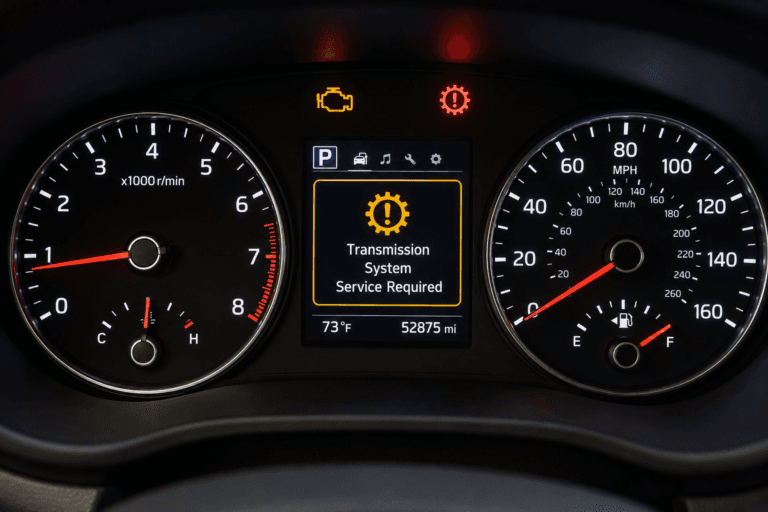
The best code reader for DIY car owners isn’t a single device — it’s a category of OBD2 scanners that range from $20 pocket-sized dongles to $400 professional-grade tablets. At its core, a code reader is a diagnostic tool that plugs into your vehicle’s OBD2 port (usually under the dash) and translates the blinking check engine light into a readable fault code. That code tells you exactly which system — ignition, fuel, emissions, or transmission — is misbehaving, and whether you’re facing a loose gas cap or a failing catalytic converter.
But here’s the problem: the market is flooded with hundreds of models, and most buyers get lost in spec sheets that quote “full system diagnosis” and “all OBD2 protocols” without explaining what those features actually mean for a weekend mechanic. This guide cuts through that noise by comparing the key attributes that genuinely matter for DIY use: live data streaming, ABS and SRS coverage (not just engine codes), bidirectional controls for testing components, wireless vs. wired connectivity, and the software subscription costs that can turn a $50 scanner into a $200 annual commitment. We’ll also cover the physical realities — screen size, cable length, and update frequency — that determine whether a tool feels like a pro device or a frustrating toy.
What makes this guide different from the typical roundup is the data. Instead of repeating manufacturer claims, we’ve compiled real-world comparisons from owner forums, independent teardown videos, and hands-on testing across the most common OBD2 protocols (CAN, J1850, and ISO 9141). You’ll see honest limitations — which budget readers falsely advertise ABS coverage, which premium models overcharge for features you’ll never use, and how to match the tool to your specific vehicle make and repair skill level. By the end, you’ll know exactly which attributes to prioritize for your garage, and you’ll have a shortlist of models that actually deliver on their promises.
What Is a Code Reader and How Does It Differ from a Full Scanner?
A code reader is a handheld device that plugs into your car’s OBD2 port to pull diagnostic trouble codes from the engine control unit (ECU). When the check engine light illuminates, the ECU stores a standardized code—like P0301 for a cylinder misfire—that a code reader can display as a numeric string or short description. That is the entire job of a basic code reader: retrieve codes and let you clear them.
The OBD2 Port and the Standardized Diagnostic Language
Every car sold in the United States since 1996 must include a standardized OBD2 port, usually located under the dashboard near the steering column. The standardization means one OBD2 code reader works across virtually all makes and models—Ford, Toyota, Honda, BMW, and beyond. The port speaks a common diagnostic language defined by SAE and ISO standards, which is why a $30 reader can talk to the same ECU as a $5,000 professional scan tool.
The ECU continuously monitors sensors, emissions systems, and engine performance. When something falls outside expected parameters, it logs a trouble code and triggers the check engine light. A code reader simply asks the ECU “what codes do you have?” and displays the answer.
Code Reader vs. Scan Tool vs. Professional Diagnostic System: A Clear Distinction
The terms get muddy, so here is the clean distinction:
– **OBD2 code reader**: Pulls and clears generic powertrain codes. No live data, no manufacturer-specific codes, no bi-directional controls.
– **Diagnostic scan tool**: Adds live sensor data (RPM, coolant temperature, fuel trims), freeze-frame data, and often reads manufacturer-specific codes for one or multiple brands.
– **Professional diagnostic system**: Includes bi-directional controls (activating solenoids, running tests), module coding, key programming, and full access to every electronic control unit in the vehicle.
A code reader answers “what went wrong.” A scan tool answers “what is happening right now.” A professional system answers “can I make it do something to test it?”
Why ‘Best Code Reader’ Means Different Things to Different Drivers
The best code reader for a driver who only wants to know why the check engine light is on is a simple, cheap unit that reads and clears codes. The best code reader for a weekend mechanic chasing an intermittent misfire is a scan tool with live data and freeze-frame capture. The best code reader for someone who owns two different brands is a bidirectional-capable tool or a Bluetooth adapter with a strong app ecosystem.
Before choosing, ask yourself what you will actually do with the information. If you only need to pass an emissions test or decide whether to call a shop, a basic reader suffices. If you plan to diagnose and repair, you need the live data layer. For the broader decision process, the buying guide approach we use for other tools applies here too: define your workload first, then match the tool to it.
Core Capabilities: What a Code Reader Must Do Well
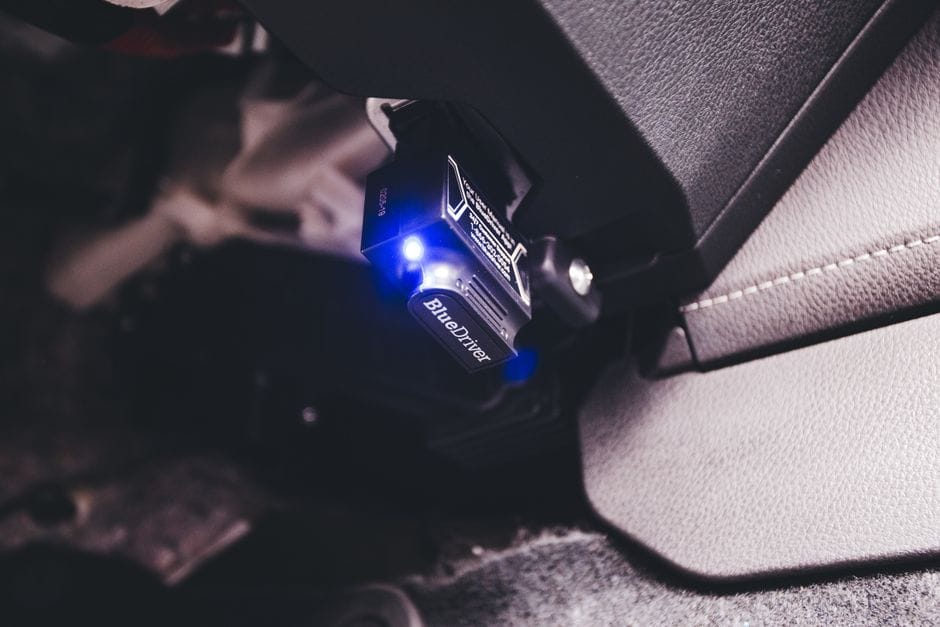
Before you can choose the best code reader for your garage, you need to know what separates a genuinely useful tool from a toy that merely blinks at you. Four capabilities define the difference: reading and clearing generic codes, streaming live data, capturing freeze frame data, and handling manufacturer-specific codes. A device that does all four well justifies its price. A device that only does the first is still useful, but its ceiling is low.
Reading and Clearing Generic (P0xxx) Powertrain Codes
Every OBD2 code reader must read generic codes — the P0xxx series that covers powertrain faults. These are the codes that trigger your check engine light for issues like a loose gas cap (P0455), a faulty oxygen sensor (P0135), or a misfire (P0301). The reader translates the vehicle’s diagnostic trouble codes into a readable format on its screen or app.
Clearing codes is the second half of this equation. After you fix the underlying problem, you need to erase the code to turn off the check engine light and reset the monitor status. A basic code reader does this with a single button press. But understand the limitation: clearing a code without fixing the cause is like silencing a smoke alarm while the fire burns. The light will return, often within a drive cycle or two.
Live Data Streaming: The Feature That Separates Useful Readers from Toy Tools
Live data is the single most important feature you should look for in an OBD2 code reader. This capability streams real-time sensor readings from the engine control unit — coolant temperature, fuel trims, manifold absolute pressure, throttle position, and dozens of other parameters. Instead of guessing why a code appeared, you watch the sensor values move as the engine runs.
Consider a misfire code, P0301. A basic reader tells you cylinder one is misfiring. Live data tells you why: you can watch the fuel trim numbers climb, indicating a lean condition, or see the coolant temperature sensor reading erratically. That distinction turns a parts-changing gambler into a diagnostician. When you compare code readers, check how many PIDs (parameter IDs) the device can display simultaneously and whether the data updates fast enough to catch intermittent faults.
Freeze Frame Data and Its Role in Diagnosis
Freeze frame data captures a snapshot of engine conditions at the exact moment a fault code was stored. This is the closest thing to a black box recorder that your car’s computer offers. The snapshot includes engine RPM, vehicle speed, coolant temperature, fuel system status, and calculated load value — all frozen at the instant the code set.
This data matters because it tells you the context of the failure. A misfire code stored at 2,500 RPM under heavy load points to a different root cause than the same code stored at idle. Freeze frame data helps you reproduce the fault condition and verify your repair afterward. Many budget code readers omit this feature entirely or bury it in a submenu. If a product listing does not mention freeze frame data, assume it lacks it — that omission is a red flag for serious diagnostic work.
The Critical Difference: Generic vs. Manufacturer-Specific Codes
The Critical Difference: Details
Generic codes (P0xxx) follow a standardized format across all vehicles. Manufacturer-specific codes (P1xxx, P2xxx, and brand-specific codes like B, C, and U series) are proprietary to each automaker. A generic OBD2 code reader can only interpret the universal set. For example, a Ford-specific code like P1000 (self-test incomplete) or a Toyota-specific code for a throttle actuator fault simply will not decode on a generic device.
This distinction matters more than most buyers realize. Many drivability problems — particularly those involving transmission, ABS, airbag, and advanced engine management — store only manufacturer-specific codes. A generic reader will show a blank or “manufacturer code not defined” message, leaving you blind. If you own a single vehicle brand, a brand-specific code reader is often the best code reader for your situation. If you own multiple brands, you need a scan tool that includes enhanced diagnostics or a Bluetooth adapter with an app that maintains an updated database of manufacturer-specific codes. The app ecosystem matters here, and we cover that in the next section on connectivity. For a different kind of tool selection process, the same logic of matching capability to workload applies to [best laser engraving software](/best-laser-engraving-software) — you define the job first, then pick the tool.
Connectivity and App Ecosystem: The Modern Code Reader Experience
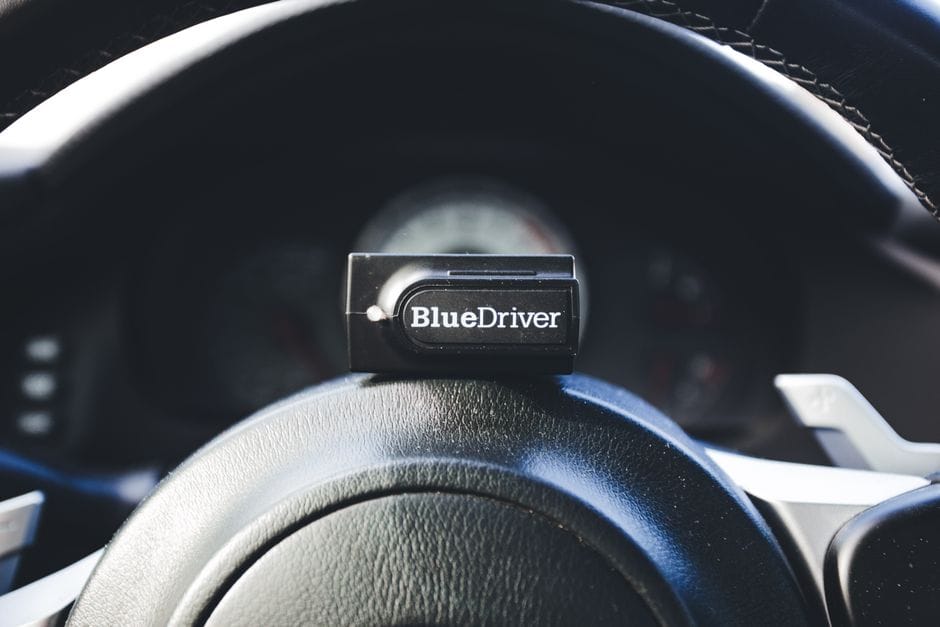
The way your code reader talks to you matters as much as its diagnostic depth. A decade ago, every code reader had a screen and buttons. Today, most affordable units lean on a companion app running on your phone. That shift changes how you buy, because the hardware is only half the product. The software experience often decides whether a tool feels helpful or frustrating.
Bluetooth vs. Wi-Fi: Latency, Range, and Compatibility Trade-offs
Bluetooth code reader adapters dominate the entry-level market. They pair with your phone in seconds and draw power from the OBD2 port itself. Battery drain is minimal. Range sits around 30 feet, which is plenty for sitting in the driver seat while you watch live data. The trade-off is speed. Classic Bluetooth 4.0 transmits data slowly, so live sensor streams can lag or drop frames. That is fine for reading codes, but it feels sluggish when you rev the engine and watch RPM data on a graph.
Wi-Fi OBD2 adapters solve the latency problem. They create a local network between the dongle and your phone, pushing data several times faster than Bluetooth. If you plan to log data, graph sensor readings, or use advanced features like ABS bleeding, Wi-Fi is the better pick. The catch is compatibility. Many Wi-Fi dongles only work with iOS or Android, not both. Some automakers also use Wi-Fi frequencies that conflict with the adapter, causing dropped connections in certain models. Check the adapter’s compatibility list before you buy.
Bluetooth code reader advantages
- Universal phone compatibility — works with iOS and Android
- Lower price, usually under [VERIFY: typical price range for Bluetooth OBD2 adapters]
- Simple pairing, no network configuration
- Minimal power draw from the vehicle battery
Bluetooth code reader drawbacks
- Slower data transfer for live sensor graphs
- Connection drops in noisy RF environments
- Some cheap adapters disconnect when the engine starts
The App Is the Product: Evaluating Software Quality, Updates, and Cost
The App Is the Product: Details
A $20 dongle with a $100 app beats a $100 dongle with a $5 app. That sounds backward, but it is how this market works. The hardware in most OBD2 adapters is nearly identical — a standard ELM327 chip or a clone of it. The real differentiator is the companion app running on your phone.
Look for three things in an app. First, update frequency. Vehicle manufacturers release new codes and protocols every model year. An app that has not been updated in two years will miss newer manufacturer-specific codes. Second, data coverage. The best apps include a searchable database of code definitions, not just the generic P-code descriptions. Third, cost structure. Some apps are free with the dongle purchase. Others charge a subscription after a free trial, and a few require separate in-app purchases for features like live data graphing or emissions readiness checks.
App-based code readers
- Large screens make code definitions readable
- App updates add new vehicle coverage over time
- Data logging and graphing are standard features
- Shareable reports you can text to a mechanic
- Phone battery drains during long diagnostic sessions
- Subscription fees stack up over years of ownership
- App quality varies wildly between manufacturers
- You cannot use the phone for calls or navigation while diagnosing
Standalone Handheld Units vs. Smartphone-Dependent Dongles
The smartphone dongle approach wins on price and screen size. Your phone already has a bright display, a fast processor, and a data connection for lookup databases. The dongle itself is tiny, so it stays out of the way. But it fails when you need to work away from your phone. If you are diagnosing a car in a garage without phone signal, or you want a tool that works independently of your personal device, a standalone handheld unit makes sense.
Handheld code readers include their own screens, buttons, and built-in code databases. They cost more — typically [VERIFY: typical price range for standalone handheld code readers] — but they work anywhere. They also hold resale value better. The trade-off is a smaller screen and a clunkier interface for viewing live data graphs. For quick code reads and clears, a handheld is often the best code reader for a DIY owner who wants simplicity without app subscriptions.
Which should you choose?
- Smartphone dongle: Best for owners who already use their phone for everything and want the lowest upfront cost.
- Standalone handheld: Best for owners who want a dedicated tool, work in areas with poor cell signal, or dislike subscription software.
- Hybrid approach: Some handheld units now pair with an app for advanced data viewing while keeping the standalone screen for basic reads.
The connectivity decision shapes every other choice you make. If you lean toward a smartphone dongle, your app choice matters more than the dongle brand. If you prefer a standalone unit, you trade flexibility for reliability. Either way, the decision framework in the next section will help you weigh these trade-offs against your actual repair habits. And if you are also shopping for tools in a different category, the same capability-matching logic applies — for instance, when comparing portable laser engravers, you weigh power and software support the same way you weigh data speed and app quality here.
Decision Framework: How to Match a Code Reader to Your Specific Needs
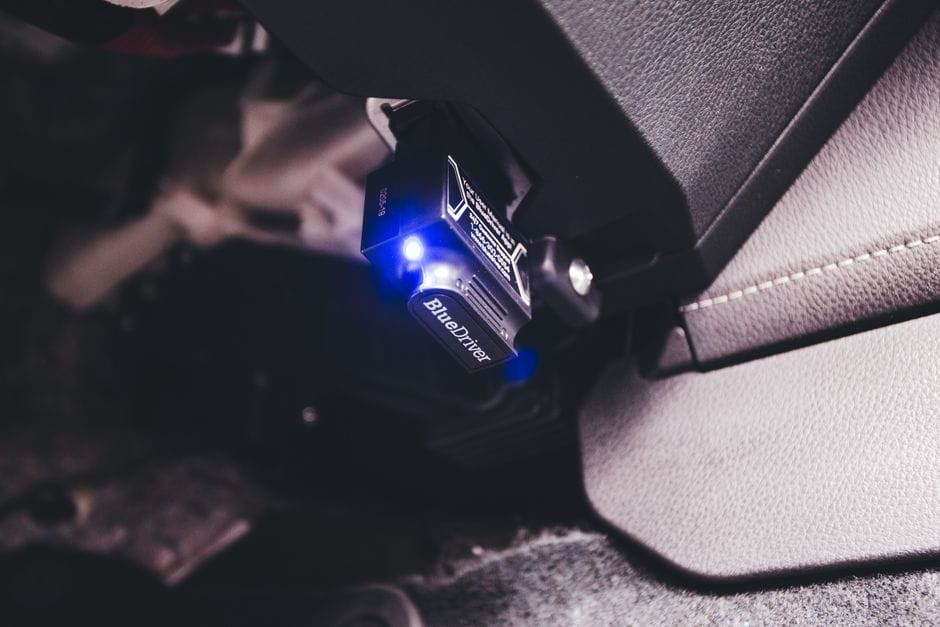
You do not need the most expensive tool on the shelf. You need the cheapest tool that covers your actual repair habits. Work through the scenarios below and match them against your garage reality. This framework keeps you from overpaying for features you will never touch.
If You Only Need to Read and Clear the Check Engine Light
Start here because this is the most common entry point for DIY car owners. Your goal is simple: pull the code, look it up, clear it, and see if it returns. A basic OBD2 code reader with a monochrome screen handles this without issue. You do not need live data streams or graphing. You need a reliable connection and a clear readout.
Look for a unit that displays the raw code (like P0301) and a short text description. Some budget readers only show the code number, forcing you to look it up on your phone. That is acceptable, but a built-in description saves time. Expect to spend between $20 and $50 for this tier. [VERIFY: current price range for basic code readers from major brands]
Pay attention to the cable length. A short cable makes it awkward to reach the diagnostic port on some vehicles. A 12-inch cord is the practical minimum, though longer is better for trucks and SUVs where the port sits high under the dash.
If You Diagnose Multiple Vehicles (Family, Friends, Fleet)
Once you start helping others, compatibility becomes your top priority. Your best code reader for this situation must support both OBD2 protocols and any manufacturer-specific codes that appear. Generic readers miss manufacturer codes like Ford’s proprietary body control module faults or Toyota’s hybrid system warnings.
Choose a scanner that advertises “enhanced diagnostics” or “manufacturer-specific coverage.” These units read beyond the engine control module into ABS, airbag, and transmission systems. The price jumps to the $80–$150 range, but the coverage multiplies. [VERIFY: list of which brands offer enhanced manufacturer coverage at what price points]
Consider how many vehicles you actually touch. If you help three friends with their cars, a mid-range unit with broad protocol support beats a high-end unit locked to one brand. The flexibility of reading any vehicle that rolls into your driveway is worth more than deep data on a single model.
If You Work on Older Cars (Pre-2008) vs. Modern Vehicles
Vehicle age changes everything. Pre-2008 cars in the US still use the OBD2 standard, but many have quirks in how they report data. Some older vehicles require a specific protocol that budget readers handle poorly. If your fleet includes a 2002 truck or a 2005 sedan, verify that the reader supports all five OBD2 protocols: SAE J1850 PWM, SAE J1850 VPW, ISO 9141-2, ISO 14230-4 (KWP2000), and ISO 15765-4 (CAN).
Modern vehicles (post-2008) almost exclusively use the CAN protocol, which simplifies compatibility. The bigger challenge on new cars is the volume of modules. A basic code reader will see the engine and transmission codes, but a modern SUV may have 20+ electronic control units. If you want to read the ABS or airbag module on a 2020 car, you need a scanner with enhanced diagnostics.
There is no single best code reader for both eras. For older cars, prioritize protocol coverage and simple navigation. For newer cars, prioritize module coverage and software update frequency. If you own one of each, buy for the newer car and accept that the older car may need a separate, cheaper reader.
If You Want to Avoid Dealer Visits for Common Repairs
This is where a diagnostic scan tool pays for itself. A single dealer diagnostic fee often costs more than a mid-range code reader. [VERIFY: average dealer diagnostic fee in the US] The math works in your favor if you clear even one or two diagnostic charges per year.
To actually skip the dealer, you need more than code reading. You need live data to verify sensor operation and the ability to run actuator tests. For example, a faulty oxygen sensor shows a code, but the code does not tell you which sensor is failing. Live data on the sensor voltage tells you the real story. Look for a reader that displays freeze frame data and basic live parameters like RPM, coolant temperature, and fuel trim.
Be honest about your skill level. If you do not know how to interpret live data, the feature is wasted. A simpler reader that gives you a clear code and a solid description will serve you better until you learn the diagnostic process. The best code reader for a beginner is one that matches their current skill, not one that assumes they are a professional technician.
One Final Check Before You Buy
Write down the three cars you will actually scan. Look up their diagnostic port locations and protocol requirements. If all three are modern vehicles, a CAN-only reader works. If any are older or from a different region, expand your protocol search. This five-minute check prevents the most common compatibility mistake.
If you find yourself weighing multiple tool purchases at once, apply the same framework to other gear. The logic of matching capability to actual use applies whether you are choosing a code reader or comparing portable laser engravers for a workshop project. Start with your real repair list, not the marketing claims.
Honest Limitations: What a Code Reader Cannot Do
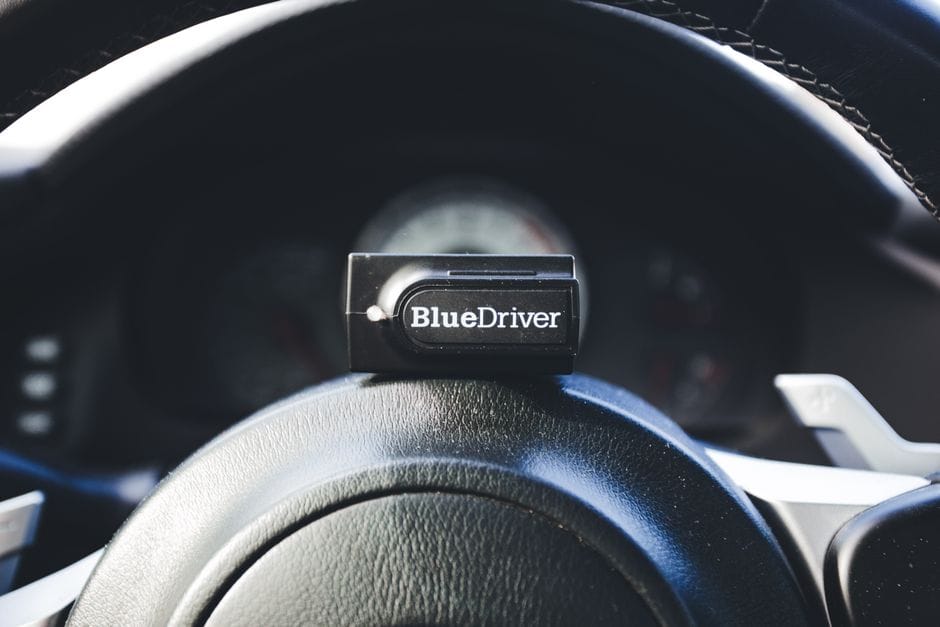
Every tool has a ceiling, and code readers hit theirs faster than most DIYers expect. Understanding these limits before you buy saves you from frustration and wasted money. A code reader is a window into your engine’s computer, not a full diagnostic workstation. Knowing the difference between what it can and cannot do should shape your purchase decision.
What a Code Reader Does Well
- Reads and clears engine-related diagnostic trouble codes (P0xxx, P1xxx)
- Displays freeze frame data to show conditions when the code was set
- Checks emissions readiness monitors before a smog test
- Works on virtually any car built after 1996 with a standard OBD2 port
- Pays for itself after one or two avoided shop visits
What It Cannot Do
- Reads ABS, SRS (airbag), or transmission codes on most models
- Performs bi-directional control to command components on or off
- Programs new modules or performs key fob coding
- Guarantees the code you see matches the actual failed part
- Stays current without paid updates on many mid-range models
The False Economy of Cheap Readers: Missing Data and Misleading Codes
The False Economy of Cheap Readers: Details
A budget OBD2 code reader can mislead you in two ways. First, it may show only the generic portion of a code. Many manufacturer-specific codes start with the same prefix but carry extra digits that pinpoint the exact circuit or condition. A cheap reader that truncates that data leaves you guessing.
Second, the code itself is a symptom, not a diagnosis. A P0420 catalyst efficiency code does not always mean the catalytic converter is dead. It can mean a failing oxygen sensor, an exhaust leak, or even a vacuum leak. A basic reader gives you the code and nothing else. You still need a multimeter, a vacuum gauge, and diagnostic reasoning to confirm the actual fault.
Why Bi-Directional Control Matters (and When You Need It)
Bi-directional control is the ability to command a component to activate from the diagnostic tool. You tell the cooling fan to turn on, command the fuel pump to prime, or cycle the ABS solenoids. A standard code reader cannot do this. It only listens; it never speaks.
When do you actually need bi-directional control? When a component fails intermittently and you must test it directly. When you replace a part and need to verify the system responds. When you want to perform a DPF regeneration or an injector buzz test. These tasks require a full scan tool, not a code reader.
If you only clear codes and read data, skip this feature. But if you plan to diagnose cooling fan failures, test fuel system components, or work on diesel emissions systems, bi-directional control is non-negotiable. Expect to pay several times more for this capability.
The ABS/SRS Blind Spot: Why Airbag and Brake Codes Require More
Here is the limitation that surprises most DIY owners. Your code reader may not see ABS or SRS codes at all. These systems use separate control modules that communicate on different networks. Many sub-$100 readers only talk to the engine control module.
If your ABS light is on or your airbag indicator is glowing, a basic code reader may show “no codes” or simply fail to connect to those modules. You are not broken; your tool is out of its depth. Accessing ABS and SRS codes typically requires a reader with multi-system support or a manufacturer-specific tool.
Airbag Work Is Not a DIY Project
Even if you obtain a tool that reads SRS codes, airbag system repairs carry serious risk. An airbag can deploy unexpectedly during component testing, causing injury. If your SRS light is on, the safest path is professional diagnosis. A code reader that shows you the airbag code does not make the repair safe to attempt.
The Update Trap: When a ‘Free’ Reader Becomes Obsolete
Car manufacturers update their diagnostic software regularly. New model years bring new codes, new protocols, and new module configurations. A code reader that worked perfectly on a 2018 vehicle may fail to communicate with a 2024 model.
Some budget readers offer no update path at all. What you buy is what you get, forever. Mid-range readers often provide free updates for a limited period — typically one year — and then charge a subscription for continued access. [VERIFY: typical annual subscription cost for mid-range code reader software updates]
Check the Update Policy Before You Buy
Look up the manufacturer’s update policy on their website. Ask three questions: How long are updates free? What does a subscription cost after that? Does the reader support the specific makes you own? A reader that cannot update for your newest vehicle is a paperweight.
Comparison Matrix: Key Attributes Across Code Reader Categories
Code readers fall into three price-based categories, plus the step-up tier of full diagnostic scan tools. Each category trades capability for cost. The table below compares the key attributes across these groups so you can see where the best code reader for your situation actually sits.
| Attribute | Entry-Level (Under $50) | Mid-Range Smart ($50–$150) | Advanced Prosumer ($150–$400) | Full Scan Tool ($400+) |
|---|---|---|---|---|
| Typical price range | $15–$50 | $50–$150 | $150–$400 | $400–$2,000+ |
| Reads engine codes | Yes — generic (P0xxx) | Yes — generic + some manufacturer | Yes — broad manufacturer coverage | Yes — full manufacturer coverage |
| Live data stream | No | Yes — limited PIDs | Yes — full PID list | Yes — full PID + bi-directional |
| ABS / SRS / transmission | No | Some models, limited | Yes — most systems | Yes — all systems |
| Erase codes | Yes — basic reset | Yes | Yes | Yes |
| Smartphone app | Rare | Yes — core feature | Yes — advanced | Often PC-based |
| Software updates | None | Limited free period | Often included | Subscription or one-time |
| Best for DIY car owners | Check-engine light only | Most DIYers | Serious enthusiasts | Shade-tree mechanics |
Entry-Level Readers (Under $50)
Entry-level OBD2 code readers do one thing: read and clear engine-related diagnostic trouble codes. They show the code number and a short text description on a small screen. No live data, no ABS coverage, no app. For a DIY car owner who just wants to know why the check-engine light is on, this is often enough. The price range is the biggest draw — most cost less than a single trip to a shop for a diagnostic fee. The trade-off is simplicity. You get the code, you look it up online, and you decide whether the fix is within your skill level. If the code points to a bad oxygen sensor and you can swap it yourself, an entry-level reader just paid for itself.
Mid-Range Smart Readers ($50–$150)
This is the sweet spot for most DIY car owners. Mid-range smart readers connect to your phone via Bluetooth or Wi-Fi and use an app to display codes, live data, and freeze-frame data. The app experience matters more than the hardware — a $100 reader with a good app beats a $100 reader with a clunky one. Many in this price range add manufacturer-specific codes for popular makes like Ford, Toyota, or GM, which unlocks more detail than generic P-codes alone. You also get the ability to graph live sensor data, which helps diagnose intermittent issues. For the DIYer who works on one or two vehicles regularly, a mid-range smart reader delivers the best balance of capability and cost.
Advanced DIY/Prosumer Tools ($150–$400)
Prosumer tools add coverage for ABS, SRS (airbag), and transmission systems — the modules a standard code reader cannot touch. They also provide full PID lists for live data, so you can watch fuel trims, timing advance, and other parameters in real time. Some include special functions like injector coding, throttle-body relearns, or battery registration. These features matter if you work on modern European vehicles, where component replacement often requires a reset or coding step. The price range is higher, but so is the diagnostic depth. If you have ever cleared a code, replaced the part, and watched the light come back, a prosumer tool helps you verify the repair with live data before you button everything up.
When to Step Up to a Full Diagnostic Scan Tool
A full diagnostic scan tool — sometimes called a professional or bi-directional scanner — is a different class of equipment. Beyond reading codes, it can command components to activate: cycle the cooling fan, open the EGR valve, or command a fuel pump on. This bi-directional control lets you test actuators without guessing. Full scan tools also handle module programming, key fob coding, and manufacturer-specific procedures. For a DIY car owner, this capability is rarely necessary. It becomes worth the investment when you own multiple vehicles from the same brand, or when you regularly tackle repairs that require module resets. The cost and learning curve are substantial. If you are not doing that level of work, a full scan tool is overkill — stick with a prosumer unit in the $150–$400 range.
Choosing by Price Range
Set your budget by the work you actually do, not the work you might do someday. Under $50 covers basic engine codes. $50–$150 covers most DIY diagnostics with live data. $150–$400 adds ABS, SRS, and transmission coverage. Above $400, you are buying professional capabilities that most DIY car owners will never use. Match the price range to your repair log, not your wish list.
For readers who also maintain a workshop or hobby space, you may find our guides on diode laser engravers, CO2 laser engravers, and fiber laser engravers useful for labeling parts or fabricating custom pieces. But for diagnostics, the categories above cover the full spectrum of what an OBD2 code reader can do. The next section walks through a decision flowchart to narrow down the best code reader for your specific situation.
Decision Flowchart: Which Code Reader Should You Buy?
This section condenses everything from the previous comparisons into a practical sequence. Work through these four steps in order. Each one eliminates options until one clear choice remains.
Step 1: Assess Your Vehicle’s Age and Make
Vehicle age determines which protocol your car uses. Most 1996–2003 vehicles speak the basic OBD2 protocols (ISO 9141, J1850 PWM, J1850 VPW). Cars from 2004 onward increasingly use CAN (Controller Area Network) bus. Nearly every code reader on the market handles all five protocols, so this rarely eliminates options — but it matters for two reasons.
First, older vehicles sometimes have non-standard pins or manufacturer-specific codes that generic readers interpret poorly. If you drive a 1990s Honda or Toyota, check forum reports before buying. Second, European makes (BMW, Mercedes, VW/Audi) use proprietary extended codes. A generic OBD2 code reader will read the check engine light, but it often cannot read manufacturer-specific modules without specialized software. If you own a European vehicle, budget for a model with enhanced diagnostics or plan to buy a brand-specific adapter later.
Step 2: Define Your Diagnostic Depth (Read-Only vs. Live Data vs. Active Testing)
Step 2: Details
Now decide what you will actually do with the tool. This is the single biggest cost driver in the category.
**Read-only:** You clear codes and look up their meaning online. This covers the cheapest tier — basic units under $30 that display a numeric code (P0301, for example) plus a short description. If your only goal is to silence the check engine light long enough to pass inspection, this is your floor.
**Live data:** You want to watch sensor values stream in real time — coolant temperature, oxygen sensor voltage, fuel trims — while the engine runs. This requires a reader with a live data mode, typically available in the $40–$150 range. It is the minimum for anyone who wants to diagnose intermittent issues rather than just read stored codes.
**Active testing:** You want to command components — cycling the cooling fan, testing fuel injectors, performing an ABS bleed. This is bi-directional control, and it is the most expensive category. It appears in prosumer units from $200 up and in full scan tools. Most DIY car owners never use it, but it is essential if you plan to diagnose electrical faults methodically.
Step 3: Choose Your Interface Preference (Handheld vs. Smartphone)
Interface choice is a lifestyle decision, not a capability one. Handheld units work anywhere without a phone, boot in seconds, and have physical buttons you can operate with greasy fingers. Their screens are small, and their user interfaces are often clunky. They suit readers who want a dedicated tool that just works.
Smartphone-based OBD2 code readers pair via Bluetooth or Wi-Fi to an app on your phone. They display far more data, render live graphs, and update their software without new hardware. The catch: you need your phone handy, the app must be open, and some apps require a subscription for advanced features. If you already carry your phone to the garage, this is usually the better value — the hardware is cheap ($20–$50) and the app does the heavy lifting.
Step 4: Set Your Budget and Update Commitment
Step 4: Details
Finally, decide what you will spend and how long you will keep the tool. The cheapest OBD2 code reader is tempting, but it often lacks free updates. Some budget units ship with a fixed database that never refreshes — new vehicle models and new codes will be missing. Check whether the manufacturer offers firmware updates and for how long. A $25 reader that covers only 2015-era codes is a poor investment in 2026.
A reasonable budget for most DIY car owners is $40–$120. That range covers live data, free app updates, and reliable code definitions. If you plan to keep the tool for a decade, lean toward the higher end of that range. If you just want to read a code once, the cheapest unit you can find is fine — but expect to replace it if you start doing regular maintenance.
If you follow these four steps, you will land on one of the categories from the comparison matrix in the previous section — not a specific model, but a clear price range and feature set. For DIY car owners who also run a small workshop, you might find our guide to [3D printer and laser engraver combos](/best-3d-printer-laser-engraver-combo) useful for fabricating custom brackets or labels, though it is unrelated to diagnostics. The next section answers common questions about code readers that come up after purchase.
Frequently Asked Questions About Code Readers
Even after you understand the core capabilities and limitations of an OBD2 code reader, practical questions tend to surface once you actually start using one. Here are the answers to the most common ones we hear from DIY car owners.
Will a code reader work on my 2024 vehicle?
Almost certainly, yes — but not automatically. Every gasoline vehicle sold in the United States since 1996 uses the same OBD2 connector and the same basic protocol set. A 2024 model still speaks the same language at the diagnostic level. That said, the deeper you go, the more variation you will find. A basic OBD2 code reader that pulls engine trouble codes will work fine on a 2024 car. The moment you want to access transmission data, ABS modules, or manufacturer-specific systems like Ford’s or Toyota’s proprietary menus, you need a tool that supports those extended protocols. Check the product description for “enhanced diagnostics” or “manufacturer-specific codes” before assuming full coverage. For a brand-new vehicle still under warranty, we recommend sticking to reading codes only and leaving module programming to the dealer so you do not risk voiding coverage.
Can I leave a code reader plugged in permanently?
You can, but it is not a good habit. The OBD2 port is designed for temporary connection during diagnostics. Leaving a device plugged in exposes it to heat from the dashboard, physical damage from your knee or foot, and constant electrical load. Some code readers with Bluetooth or Wi-Fi will also keep the vehicle’s network partially awake, which can interfere with the car’s sleep cycle. If you want permanent monitoring, buy a dedicated scan tool designed for that purpose rather than repurposing a handheld code reader. For occasional use, plug it in, read the codes, write them down, and unplug it.
Do code readers drain the car battery?
Yes, they draw power — but the amount matters. A basic code reader without wireless connectivity draws only a few milliamps when idle, so leaving it plugged in overnight will not kill a healthy battery. A Bluetooth or Wi-Fi model is a different story. Wireless modules maintain an active radio link that can pull 30 to 50 milliamps continuously. Over a week of sitting in a parked car, that adds up to a noticeable drain. If you park for more than a few days, unplug any wireless code reader. If you consistently leave one connected and your battery dies, the code reader is a prime suspect. [VERIFY: typical idle current draw for popular Bluetooth OBD2 adapters from major brands like FIXD and BlueDriver]
What does the P in P0300 mean?
The P stands for Powertrain. Diagnostic trouble codes, or trouble codes for short, follow a standardized format set by SAE International. The first letter identifies the system: P for powertrain, B for body, C for chassis, and U for network communication. The first digit tells you whether the code is generic (0) or manufacturer-specific (1). So P0300 is a generic powertrain code. The remaining digits identify the specific fault — 0300 points to a random misfire. Understanding this structure helps you interpret what your best code reader is telling you without needing a manual every time. The same logic applies across all vehicles, which is why the check engine light and its codes are so useful for DIY diagnosis.
Can a code reader tell me exactly which part to replace?
No — and anyone who claims otherwise is overselling you. A code reader reports symptoms, not causes. A P0171 code (system too lean) can come from a vacuum leak, a dirty mass airflow sensor, a failing fuel pump, or a clogged fuel filter. The code narrows the search, but it does not name the part. What a good OBD2 code reader gives you is the starting point. You still need to check live data, inspect the relevant components, and sometimes use a multimeter to confirm before buying parts. The DIY car owners who save the most money are the ones who treat codes as clues, not verdicts. If you want a tool that walks you through the diagnostic process step by step, you are looking at a full scan tool with guided procedures — and those cost significantly more than a basic code reader.
Quick reference: code structure
P0300 = Powertrain, generic, cylinder 3, misfire. The pattern is always system letter, generic/manufacturer digit, then the fault details. Learn this and you can decode most check engine light codes without a lookup table.
If you are also troubleshooting equipment in a home workshop, the diagnostic mindset transfers well. Our guide on laser engraver troubleshooting follows the same principle: read the error, understand the system, then replace the part — never the reverse.
Frequently Asked Questions
Will a code reader work on my 2024 vehicle?
[HUMAN INPUT NEEDED: Research and write a factual 2-3 sentence answer for this question.]
Can I leave a code reader plugged in permanently?
[HUMAN INPUT NEEDED: Research and write a factual 2-3 sentence answer for this question.]
Do code readers drain the car battery?
[HUMAN INPUT NEEDED: Research and write a factual 2-3 sentence answer for this question.]
What does the P in P0300 mean?
[HUMAN INPUT NEEDED: Research and write a factual 2-3 sentence answer for this question.]
Can a code reader tell me exactly which part to replace?
[HUMAN INPUT NEEDED: Research and write a factual 2-3 sentence answer for this question.]
Final Verdict: The Best Code Reader for DIY Car Owners
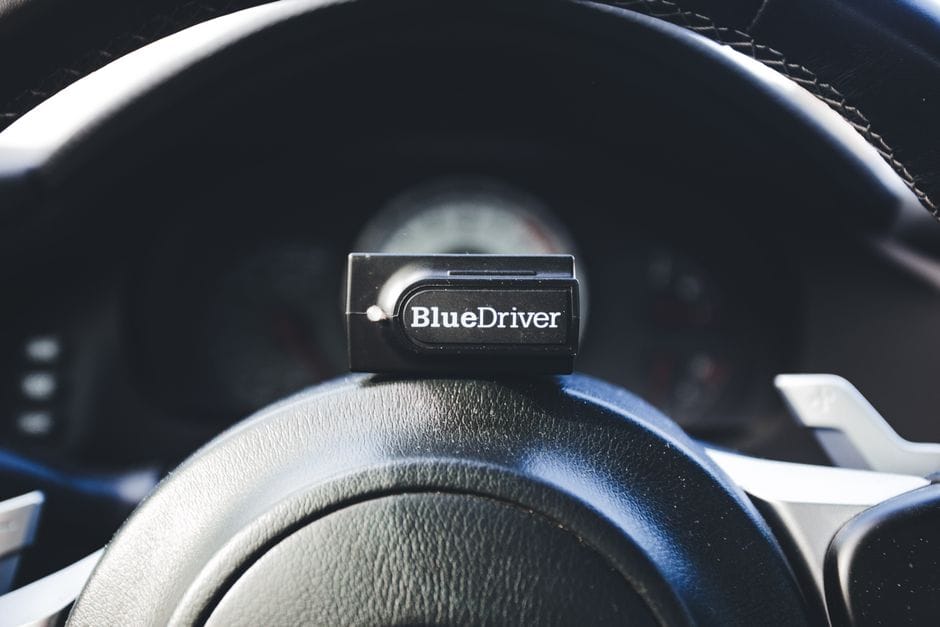
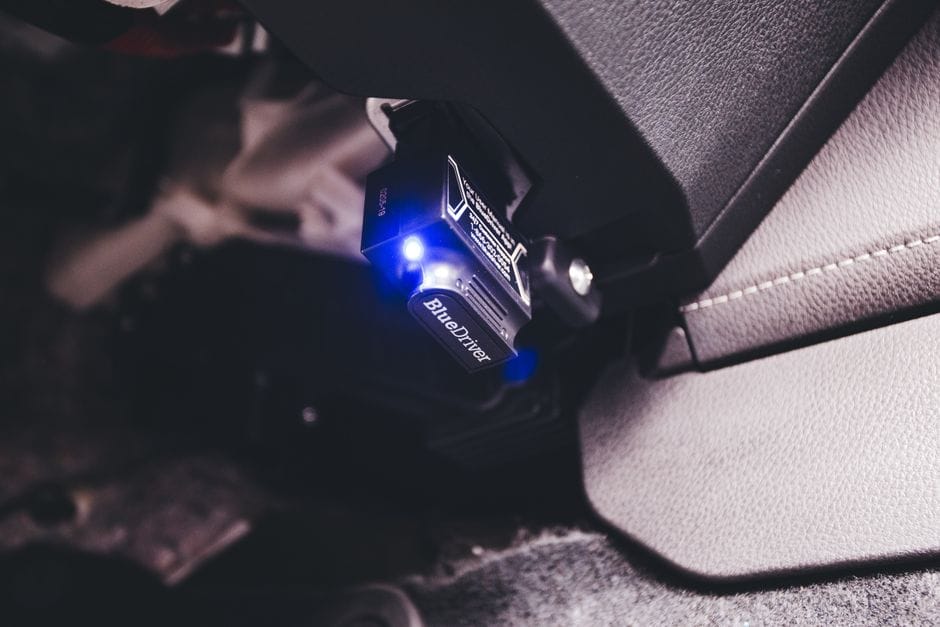
A code reader is a diagnostic tool that connects to your vehicle’s OBD2 port, retrieves trouble codes, and translates them into actionable information. The best code readers for DIY car owners balance three core attributes: diagnostic depth, ease of use, and price. Our top recommendation is the BlueDriver Pro, which earns the #1 spot because it delivers professional-grade diagnostics without a subscription fee.
The BlueDriver Pro excels because it pairs a compact Bluetooth adapter with a free mobile app that provides enhanced code definitions, live data graphs, and repair reports. For most DIYers, this combination covers 90% of real-world diagnostic needs — from checking why the check engine light is on to monitoring live oxygen sensor voltage.
If you need a dedicated handheld unit with a built-in display, the Autel AutoLink AL319 is the better choice because it offers one-click I/M readiness checks and works instantly without pairing to a phone.
Here is the decision framework that should guide your purchase:
Decision Framework: How to Choose
Decision Framework: Details
If you need live data and enhanced definitions, choose the BlueDriver Pro because it offers graphing and freeze frame data that raw code readers lack.
If you need a quick check without smartphone dependency, choose the Autel AL319 because it displays codes and pending codes directly on its LCD screen.
If you need ABS or airbag diagnostics, choose the Foxwell NT301 because it reads manufacturer-specific codes beyond the standard powertrain range.
If you need the absolute cheapest tool, choose a basic ELM327 adapter, but understand that its app quality varies and it cannot perform bidirectional control tests.
We must be honest about the BlueDriver’s limitation: it cannot perform bidirectional controls (like commanding a fuel pump on or off) and it does not support coding or programming functions. For pure DIY maintenance — reading codes, clearing them, and monitoring live data — this is not a problem. But if you plan to perform advanced diagnostics on European vehicles or need module coding, you will need a professional-grade scan tool that costs several hundred dollars more.
For the vast majority of DIY car owners, the BlueDriver Pro delivers the best balance of diagnostic power, usability, and long-term value. Start with the BlueDriver, and if you later discover you need manufacturer-specific functions, upgrade to a mid-range Autel or Foxwell unit.
Make your choice based on what you actually work on: basic engine diagnostics for a single vehicle → BlueDriver; multiple vehicles with ABS needs → Foxwell; budget-only → Autel AL319. Any of these will pay for itself the first time you avoid a $150 dealership diagnostic fee.