How to Change Brake Pads on Honda Civic 2020
Master brake pad replacement on your 2020 Honda Civic with this comprehensive guide. Learn proper procedures for electronic parking brakes, exact torque specifications, and professional techniques that save $200-500 on maintenance costs.
📋 Table of Contents
- Introduction & Signs You Need New Brake Pads
- Tools and Materials Needed
- Safety Precautions (Critical Reading)
- Difficulty Level and Time Required
- Step-by-Step Guide (30 Steps)
- Common Mistakes to Avoid
- Cost Breakdown & Savings
- When to Call a Professional
- Maintenance Tips After Completion
- Frequently Asked Questions
- Conclusion
Why Brake Pad Maintenance Matters for Your 2020 Civic
Your 2020 Honda Civic’s braking system is its most critical safety feature, and maintaining it properly can mean the difference between a safe stop and a dangerous situation. Brake pad replacement is one of the most common maintenance tasks you’ll perform on your Civic, and with the right knowledge, it’s a job you can tackle in your own garage.
The 2020 Honda Civic features disc brakes on all four wheels—a first for base-model 10th generation Civics. This means smoother, more consistent braking performance compared to older drum brake systems. However, it also means both front and rear brake pads will eventually wear down and need replacement.
⚠️ Signs Your Brake Pads Need Replacement
- Squealing or grinding noiseswhen applying brakes
- Reduced stopping poweror longer stopping distances
- Pulsating brake pedal during normal braking
- Brake warning lightilluminated on dashboard
- Visible pad thicknessless than 3-4mm through wheel spokes
- Pulling to one sidewhen braking
If you’re experiencing any of these symptoms, it’s time to inspect your brake pads.
In this comprehensive guide, you’ll learn exactly how to replace brake pads on your 2020 Honda Civic, including specific torque specifications, electronic parking brake procedures, and money-saving tips. As an ASE-certified master technician with over 15 years of experience, I’ll walk you through every step of this intermediate-level repair that can save you $200-500 compared to professional installation.
🎯 Quick Summary
What You’ll Learn:
- Complete front and rear brake pad replacement procedures
- How to handle the electronic parking brake system safely
- Exact torque specifications: 37 ft-lbs (front), 18 ft-lbs (rear)
- Professional techniques for longest pad life
- Cost savings of $200-500 compared to dealership service
Time Required:2-6 hours depending on experience
Difficulty:Intermediate (manageable for DIYers with basic skills)
Special Consideration:Electronic parking brake requires specific procedure
Tools and Materials Needed
Essential Tools
| Tool | Specifications | Cost Range |
|---|---|---|
| Floor Jack | 3,000+ lbs capacity | $50-150 |
| Jack Stands | Pair, 3+ ton rating | $40-80 |
| Lug Wrench | 19mm socket/impact wrench | $15-200 |
| Socket Set | 14mm, 17mm, 19mm sockets | $30-100 |
| Allen Socket | 7mm hex (rear calipers) | $8-15 |
| E11 Torx Socket | For EPB manual method | $8-15 |
| Torque Wrench | 10-100 ft-lbs range | $40-150 |
| C-Clamp or Piston Tool | Brake piston compressor | $15-40 |
| Wire Brush | For cleaning brackets | $5-10 |
Optional but Recommended
- OBD2 Scanner with EPB function(Autel AP200, Foxwell NT510) – $60-400
- Brake pad spreader tool– $15-30
- Mechanic’s wire or bungee cords– $5
- Digital caliper(to measure rotor thickness) – $15-30
Materials Required
💰 Parts and Supplies
$60-90
$50-80
$35-70
$30-60
$5-10
$8-15
$8-12
$8-12
$10-20
💡 Pro Tip: OEM vs Aftermarket Brake Pads
For daily driving, both OEM Honda brake pads and quality aftermarket ceramic pads work excellently. OEM pads are formulated specifically for the Civic’s weight and brake system. Quality aftermarket alternatives include Akebono,Bosch QuietCast, Wagner ThermoQuiet, and Hawk HPS. Avoid ultra-cheap pads that produce excessive dust and noise.
Safety Precautions (Critical Reading)
🚨 CRITICAL SAFETY WARNINGS
Your safety is paramount when working under your vehicle.Failure to follow these safety measures can result in severe injury or death.Read this entire section before beginning work.
Jack Stand Safety – Life or Death
Never work under a vehicle supported only by a floor jack.Jacks can fail, slip, or tip over without warning. Always use properly rated jack stands placed on solid frame points. Position stands on designated jacking points, never on pinch welds alone. A falling vehicle can cause crushing injuries resulting in death.
Brake Dust Hazards
Brake dust may contain harmful materials including metallic particles and trace amounts of asbestos in older pads. Always wear an N95 respirator mask when cleaning brake components.Never use compressed air to blow off brake dust, as this disperses harmful particles into the air you breathe. Instead, wipe components with a damp cloth or use brake parts cleaner spray.
Chemical and Eye Protection
- Wear ANSI-approved safety glasses at all times
- Use brake cleaner in well-ventilated areas (highly flammable)
- Keep brake cleaner away from flames, sparks, and hot surfaces
- Brake fluid (DOT 3) is corrosive and damages paint—wash off immediately
- If brake fluid contacts eyes, flush with water for 15 minutes and seek medical attention
Electronic Parking Brake Warning
⚠️ Special Consideration for 2020 Civic Rear Brakes
The 2020 Civic features an electronic parking brake (EPB)system on the rear wheels. Improper service can damage the EPB motor, trigger warning lights, or cost hundreds in repairs. The rear caliper pistons must be retracted (wound in)using the proper procedure before compressing. Three safe methods are detailed in this guide.
Additional Safety Measures
- Vehicle Stability:Always chock wheels on the opposite end from where you’re working. Use parking brake only when working on front brakes. When working on rear brakes, parking brake must be OFF.
- Hot Brakes:Never work on brake components immediately after driving. Rotors can exceed 500°F. Allow 30 minutes cooling time.
- Work Surface:Always work on level, solid ground. Never on soft dirt, gravel, or inclined surfaces.
- Proper Lighting:Ensure adequate lighting to see all components clearly.
🔔 Honda Brake Recall Notice
Some 2020-2021 Honda Civics are subject to recall23V-458for brake master cylinder mounting issues that can cause brake failure. Before performing brake work, check your VIN at nhtsa.gov/recalls or contact Honda at 1-888-234-2138 to ensure this recall has been addressed on your vehicle.
Difficulty Level and Time Required
| Skill Level | Intermediate |
| First-Time DIYer (Front Only) | 2.5-3.5 hours |
| First-Time DIYer (All Four Wheels) | 4-6 hours |
| Experienced DIYer (Front Only) | 1-1.5 hours |
| Experienced DIYer (All Four) | 2.5-3.5 hours |
| Professional Mechanic | 1-2 hours |
Complexity Factors
The front brake pad replacement on a 2020 Civic is straightforward and similar to most vehicles. The primary challenges include:
- Ensuring caliper bolts are properly torqued to specifications
- Thoroughly cleaning and lubricating caliper slides
- Properly compressing caliper pistons without damage
The rear brake pad replacement adds complexity due to the electronic parking brake (EPB) system. The rear caliper pistons must be retracted (wound in) before compressing, which requires either a special tool or placing the EPB in service mode.
💡 Recommended Approach for Beginners
If you’ve never performed brake work, consider starting with the front brakes first to build confidence. The fronts are simpler and don’t involve the electronic parking brake. Once you’ve successfully completed the front brakes, you’ll have the skills and confidence to tackle the rears.
Step-by-Step Guide
This comprehensive procedure covers both front and rear brake pad replacement. Follow each step carefully and never rush brake work.
Preparation (Steps 1-5)
1 Position Your Vehicle:Park your 2020 Civic on a level, solid surface. If performing a complete brake job, start with the front brakes. If only doing rear brakes, follow the electronic parking brake procedures outlined later in this guide.
2 Prevent Brake Fluid Overflow:Open the hood and locate the brake master cylinder reservoir near the firewall on the driver’s side. If the fluid level is at or near the MAX line, remove approximately 1/4 cup of fluid using a turkey baster or fluid pump. This prevents overflow when you compress caliper pistons later. Dispose of old brake fluid properly—never pour it down drains.
3 Loosen Lug Nuts:Using a 19mm socket or lug wrench, loosen the wheel lug nuts approximately 1/2 turn while the vehicle is still on the ground. Do not remove them completely yet—just break them loose. This is much easier than trying to loosen them while the wheel is off the ground.
4 Lift and Support Vehicle:Position your floor jack on the vehicle’s designated jack points (indicated by notches in the pinch weld under the rocker panels). Lift the front of the vehicle. Place jack stands under the front jack points on solid frame members and lower the vehicle onto the stands.Critical:Shake the vehicle firmly to ensure it’s stable before working underneath.
5 Remove Wheel:Remove the lug nuts completely and take off the front wheel. Place the wheel flat under the vehicle near the jack stand as an additional safety measure. You should now have clear access to the brake caliper, rotor, and caliper bracket.
Removing Front Brake Pads (Steps 6-12)
6 Clean Brake Assembly:Spray the entire brake assembly with brake parts cleaner, focusing on the caliper slides, mounting bolts, and rotor surfaces. Wipe away excess dust and debris with shop rags. Inspect the rotor for scoring, grooves, or excessive rust. Light surface rust is normal and will be removed by the new pads during break-in.
7 Locate Caliper Bolts:Find the two 14mm caliper bolts on the back of the caliper (visible from behind the rotor). These bolts hold the caliper to the caliper bracket. You’ll need both a 14mm socket and a 14mm wrench—use the wrench to hold the slide pin from rotating while you loosen the bolt with the socket and ratchet.
8 Remove Caliper:Remove both caliper bolts and carefully lift the caliper off the rotor. The caliper will still be attached by the flexible brake hose—do NOT let it hang by the hose, as this can damage the hose or brake line connection. Use a bungee cord, wire, or hook to hang the caliper from the suspension or secure it to the coil spring.
⚠️ Never Let Calipers Hang by Brake Hoses
Allowing a caliper to dangle by its brake hose can cause internal hose damage, brake line fitting failure, or fluid leaks. Always support calipers with wire, bungee cords, or place them on a secure surface. This is one of the most common mistakes that leads to expensive brake line repairs.
9 Remove Old Brake Pads:Remove the old brake pads from the caliper bracket. They may simply lift out, or you may need to slide them upward. Note the position of any anti-rattle shims or clips attached to the pads—these should transfer to your new pads if they’re in good condition. Also remove the pad retaining clips (spring clips) from the top and bottom of the caliper bracket.
10 Inspect and Clean Slide Pins:Inspect the caliper slide pins (the bolts you removed). They should be clean and move smoothly when you twist them. If they’re stuck, corroded, or have torn rubber boots, they should be serviced or replaced. Clean the slide pins with brake cleaner and apply a thin coat of high-temperature brake caliper grease to the smooth portion of the pin.Do NOT use regular grease or anti-seize on the pins.
11 Inspect Rotor Condition:Measure your rotor thickness with a micrometer or digital caliper if available. The minimum thickness specification for 2020 Civic front rotors is typically 26.0mm. If your rotors are below minimum thickness, heavily scored, or warped, they must be replaced. Light surface rust and minor marks are normal and acceptable.
12 Clean Caliper Bracket:Clean the caliper bracket thoroughly with a wire brush, removing any rust, old grease, or debris from the areas where the brake pad ears rest. These surfaces must be smooth and clean for proper pad movement. Clean the caliper piston with brake cleaner and inspect the rubber dust boot around the piston for tears or damage.
Installing Front Brake Pads (Steps 13-20)
13 Install New Retaining Clips:Install new pad retaining clips onto the caliper bracket. These spring clips go at the top and bottom where the brake pad ears slide into the bracket. Ensure they’re fully seated and secure. If your new pads came with replacement clips, use the new ones.
14 Apply Brake Grease:Apply a thin layer of brake caliper grease to the backing plates of the new brake pads where they contact the caliper bracket and caliper piston. Apply grease to the edges and back of the pad backing plate—NEVER apply any lubricant to the friction surface (the part that contacts the rotor). Also apply a small amount of grease to the areas on the caliper bracket where the pad ears slide.
⚠️ NEVER Grease These Areas
Do NOT apply grease, oil, or any lubricant to: brake pad friction surfaces, rotor surfaces, or caliper piston faces. Contaminating these surfaces will cause brake failure and could result in a serious accident. Only apply grease to backing plates and metal-to-metal contact points.
15 Compress Caliper Piston:Using a C-clamp or brake piston compression tool, slowly compress the caliper piston back into the caliper bore. Position the clamp so it pushes on the piston face (through an old brake pad to protect the piston) and the back of the caliper body. Compress slowly and watch the brake fluid reservoir—it will rise as you push the piston in. If fluid starts to overflow, stop and remove more fluid from the reservoir.
16 Install New Brake Pads:Install the new inner brake pad into the caliper bracket, ensuring it’s fully seated in the retaining clips. The pad should slide in smoothly and rest flat against the bracket. Install the outer brake pad in the same manner. If your pads came with new anti-rattle shims, install them on the back of each pad according to the manufacturer’s instructions.
17 Reinstall Caliper:Carefully position the caliper over the new brake pads and rotor. The caliper should slide on easily—if it doesn’t, the piston may not be fully compressed. Do not force it. Align the caliper bolt holes with the slide pins on the bracket.
18 Install Caliper Bolts:Apply a small amount of blue thread-locker (optional) or anti-seize to the threads of the caliper bolts. Install both caliper bolts and hand-tighten them. Remember to hold the slide pin with a wrench while tightening the bolt to prevent the pin from spinning.
19 Torque Caliper Bolts:Using a torque wrench, tighten the front caliper bolts to 37 ft-lbs (50 Nm). This torque specification is critical—over-tightening can damage the slide pins or threads, while under-tightening can allow the caliper to shift during braking, causing noise and uneven wear.
🔧 Critical Torque Specifications for 2020 Honda Civic
- Front Caliper Bolts:37 ft-lbs (50 Nm)
- Rear Caliper Bolts:18 ft-lbs (24 Nm)
- Wheel Lug Nuts:80 ft-lbs (109 Nm)
- EPB Motor Bolts:84-96 inch-lbs (7-8 ft-lbs)
20 Reinstall Wheel:Place the wheel back on the hub, hand-tightening the lug nuts in a star pattern (opposites). Lower the vehicle off the jack stands just enough so the tire touches the ground but the suspension isn’t fully loaded. Using your torque wrench, torque the lug nuts to80 ft-lbs (109 Nm)in a star pattern. Lower the vehicle completely and remove jack stands.
Rear Brake Pads – Electronic Parking Brake Procedure
The 2020 Honda Civic’s rear brakes feature an electronic parking brake (EPB) system that requires one additional procedure. The EPB uses an electric motor to mechanically actuate the parking brake. You must retract this mechanism before compressing the caliper piston.
Option A: Manual Retraction Method (No Scanner Required)
This is the most economical method and requires only an E11 Torx socket or 9mm socket.
21 Prepare Rear for Service:Ensure the parking brake is OFF before jacking up the rear of the vehicle. Jack up the rear, support on jack stands, remove the rear wheel, and clean the brake assembly.
22 Remove Rear Caliper:Remove the two 7mm Allen (hex) bolts that hold the rear caliper. These bolts are accessed from behind the caliper. Carefully lift the caliper off and hang it securely—do not let it dangle by the brake hose.
23 Disconnect EPB Motor:Unplug the electrical connector from the EPB motor (white connector on the back of the caliper). Press the release tab and pull straight out. Remove the two 5mm Allen bolts that hold the EPB motor assembly to the caliper. The motor will come off—there’s enough wire to lay it aside without fully disconnecting it.
24 Retract Parking Brake Mechanism:Using an E11 Torx socket (or a 9mm socket that fits), turn the exposed spindle on the back of the caliperclockwiseuntil it stops. This winds the parking brake mechanism fully in, creating space to retract the piston. You’ll feel resistance increase, then it will lock at the fully retracted position.
25 Compress Piston and Install Pads:Now you can use a C-clamp or brake piston tool to compress the piston. Follow the same pad installation procedure as the fronts (cleaning bracket, applying grease, installing pads). Reinstall the EPB motor with the 5mm Allen bolts (torque to 84-96 inch-lbs), reconnect the electrical connector, and reinstall the caliper. Torque the rear caliper bolts to 18 ft-lbs (24 Nm).
Option B: OBD2 Scanner Method
If you have an OBD2 scanner with EPB service mode capability (such as Autel AP200, Foxwell NT510, or Topdon AD500), you can electronically retract the EPB mechanism:
- Connect your OBD2 scanner to the port under the dashboard
- Navigate to “EPB Service Mode” or “Brake Pad Replacement Mode”
- Follow the scanner’s prompts to retract the rear calipers
- Once activated, compress the rear pistons with a C-clamp like the fronts
- After pad replacement, use the scanner to exit service mode
💡 OBD2 Scanner Investment
While OBD2 scanners with EPB function cost $60-400, they’re valuable tools for reading codes, clearing warning lights, and performing other maintenance procedures. If you plan to maintain your Civic yourself, a good scanner pays for itself quickly.
Option C: Simple Compression Method
Some mechanics successfully change rear pads by simply having the parking brake OFF and using extra force to compress the piston with a brake caliper wind-back tool. However, this method doesn’t properly reset the EPB ratcheting mechanism and is not recommended by Honda. Use Options A or B for proper service.
Final Steps – Testing and Verification (Steps 26-30)
26 Pump Brake Pedal:Before starting the engine, pump the brake pedal 10-15 times until it feels firm and consistent. This seats the brake pads against the rotors and extends the caliper pistons to their proper operating position. The pedal should feel normal and firm. If it feels spongy or goes to the floor,stop immediately and check your work—you may have a brake fluid leak or improperly installed components.
⚠️ CRITICAL: Never Drive Without Pumping Brakes
After installing new pads, the caliper pistons are fully retracted. If you start the car and drive without pumping the brake pedal first, you’ll have little to no braking power on the first application. This can cause a serious accident. Always pump the pedal 10-15 times and verify a firm pedal before moving the vehicle.
27 Check Brake Fluid Level:Check the brake fluid level in the master cylinder reservoir. It should be between the MIN and MAX lines. Top off with fresh DOT 3 brake fluid if needed. Do not overfill. Wipe up any spilled fluid immediately (it damages paint) and replace the reservoir cap securely.
28 System Check:Start the engine and press the brake pedal firmly several times. The pedal should feel consistent and firm with the engine running. Check under the vehicle for any signs of brake fluid leaks around the calipers, brake lines, or connections. Even a small drip requires immediate attention.
29 Test Electronic Parking Brake:If you worked on rear brakes, cycle the electronic parking brake on and off 2-3 times to ensure proper operation. You should hear the EPB motors engage and release smoothly. If you see an EPB warning light or error message, you may need to clear codes with an OBD2 scanner or have the system reset at a dealer.
30 Test Drive:Perform a test drive in a safe area (empty parking lot) at low speeds (10-15 mph). Apply the brakes gently at first, then with increasing pressure. The vehicle should stop smoothly without pulling to one side, pulsation, or unusual noise. Perform 5-10 gentle stops to begin the bedding-in process. Gradually increase speed and braking pressure as confidence builds.
7 Common Mistakes to Avoid
These mistakes cause expensive damage, premature wear, and safety issues. Learn from others’ errors and avoid these pitfalls.
1. Not Retracting Rear EPB Mechanism Properly
The biggest mistake DIYers make with 2020 Civic rear brakes is trying to compress the piston without retracting the parking brake mechanism first. The EPB uses a ratcheting mechanism that must be wound back. Forcing the piston without retracting the mechanism can:
- Damage the EPB motor ($300-500 replacement)
- Strip internal gear teeth
- Trigger EPB warning lights requiring dealer reset
- Prevent proper parking brake operation
Solution:Always use one of the three methods outlined in this guide to properly retract the EPB before compressing rear pistons.
2. Mixing Up Inner and Outer Brake Pads
Many brake pad sets have different inner and outer pads. The inner pad often has a wear indicator clip or different backing plate design. Installing them backwards causes:
- Squealing or grinding noises
- Uneven pad wear (one pad wears much faster)
- Poor braking performance
- Premature pad replacement needed
Solution:Before removing old pads, note which is inner and outer. Most pad packaging clearly labels them. When in doubt, the pad with the wear indicator tab typically goes on the inner position.
3. Forgetting to Pump the Brake Pedal
This dangerous mistake happens when DIYers forget that newly installed pads have retracted pistons. Without pumping the pedal:
- First brake application has little to no stopping power
- Can cause rear-end collisions when pulling out of driveway
- Pedal goes to floor on first press
Solution:ALWAYS pump the brake pedal 10-15 times before starting the engine. Verify a firm pedal. Test at low speeds before driving normally. This is non-negotiable for safety.
4. Not Lubricating Caliper Slide Pins
Seized or dry caliper slide pins are a leading cause of premature brake wear. When slide pins don’t move freely:
- Caliper can’t “float” properly to center over rotor
- One pad wears much faster than the other
- Uneven braking performance
- Pulling to one side when braking
- Premature rotor wear and damage
Solution:Always clean slide pins thoroughly with brake cleaner. Inspect rubber boots for tears. Apply proper high-temperature brake caliper grease (not regular grease or anti-seize) to the smooth shaft of the pin. If boots are torn or pins are seized, service them before installing new pads.
5. Using Wrong Grease in Wrong Places
This common error causes contamination, squealing, or seized components:
CORRECT Grease Locations:
- Caliper slide pin shafts (high-temp brake caliper grease)
- Backs of pad backing plates (thin layer)
- Pad ear contact points on bracket
- Where shims contact caliper piston
NEVER Apply Grease To:
- ❌ Friction surface of brake pads
- ❌ Rotor braking surface
- ❌ Caliper piston face
- ❌ Slide pin rubber boots (causes swelling/deterioration)
Solution:Use high-temperature synthetic brake caliper grease specifically designed for brake systems. Regular grease deteriorates rubber boots. Anti-seize is for bolts only, never sliding surfaces.
6. Skipping the Break-In Procedure
New brake pads need proper bedding to achieve full performance. Skipping break-in causes:
- Reduced stopping power
- Uneven pad deposits on rotors (causes pulsation)
- Squealing noises
- Premature pad glazing
- Never reaching optimal performance
Solution:Follow the break-in procedure outlined in the Maintenance section. For the first 200-300 miles: avoid hard stops, perform 8-10 moderate stops from 40 mph with cooling time between stops, and gradually increase braking firmness.
7. Ignoring Rotor Condition
Installing new pads on worn, warped, or damaged rotors is wasted money and time:
- New pads wear faster conforming to damaged rotor surface
- Squealing, grinding, or pulsating continues
- Poor braking performance despite new pads
- Need to replace pads again soon
Solution:Always measure rotor thickness (front minimum: 26.0mm, rear: 18.0mm). Inspect for deep scoring, grooves, hot spots (blue discoloration), or warping. If rotors show significant wear, replace them. If near minimum thickness, replace them—resurfacing removes material.
Cost Breakdown & Your Savings
DIY Total Costs
💰 Front Brake Pads Only
$60-90
$15-25
$75-115
💰 Rear Brake Pads Only
$50-80
$15-25
$8-15
$73-120
💰 Complete Front and Rear (OEM)
$60-90
$50-80
$30-45
$140-215
💰 Complete Front and Rear (Aftermarket)
$35-70
$30-60
$30-45
$95-175
Professional Installation Costs
| Service Location | Front Pads | Rear Pads | All Four Wheels |
|---|---|---|---|
| Honda Dealership | $250-400 | $250-400 | $500-800 |
| Independent Shop | $180-300 | $180-300 | $350-600 |
| Chain Store (Midas, Firestone) | $200-350 | $200-350 | $400-700 |
Your DIY Savings
✅ Money Saved by Doing It Yourself
Complete Four-Wheel Brake Pad Replacement (OEM Parts):
- DIY Cost:$140-215
- Dealership Cost:$500-800
- Your Savings:$350-585 per brake job
Over the life of your vehicle (3-4 brake jobs), you’ll save $1,400-2,340!
Even after purchasing basic tools (jack, jack stands, torque wrench ≈ $150-250), you’ll break even or save money on the first brake job, and save significantly on all future jobs.
When to Call a Professional
While brake pad replacement is a suitable DIY project for mechanically inclined owners, certain situations require professional assistance:
Seized Components
If caliper bolts, slide pins, or other fasteners won’t budge despite proper tools and penetrating oil, forcing them can strip threads or break bolts. Professional shops have:
- Specialty extractors for damaged fasteners
- High-powered impact tools
- Experience with seized Honda components
- Ability to repair stripped threads with helicoil inserts
Brake Fluid Leaks
🚨 Stop Immediately If You See Leaks
If you notice brake fluid leaking from calipers, brake lines, or the master cylinder during inspection,stop work immediately. Brake fluid leaks indicate failed seals, corroded lines, or caliper damage requiring expert diagnosis. Operating a vehicle with brake fluid leaks is extremely dangerous and illegal.
Rotor Replacement or Resurfacing
If your rotors are warped (causing pedal pulsation), deeply scored, or below minimum thickness, they need service:
- Resurfacing (machining):Shops can resurface rotors if above minimum thickness – often $15-30 per rotor
- Replacement:Requires special tools to remove stuck rotors and involves additional labor
- Measurement:Professionals have precision micrometers to measure exact thickness
EPB System Errors
If your electronic parking brake warning light stays on after rear service, or the EPB won’t engage/release:
- May indicate wiring damage or loose connections
- Could require EPB motor calibration with Honda HDS scan tool
- Possible internal mechanism damage from improper service
- Honda dealers have specialized diagnostic equipment
Warning Light Issues
If your ABS light, brake system warning light, or traction control light illuminates during or after brake service:
- May indicate air in brake lines requiring bleeding
- Could be wheel speed sensor damage during wheel removal
- Possible brake fluid level sensor issue
- May require professional diagnosis with factory scan tools
Do not drive the vehicleif brake warning lights are illuminated. These can indicate serious hydraulic problems requiring immediate professional attention.
Caliper Replacement Needed
If calipers are leaking, frozen, or damaged, replacement requires:
- Brake line disconnection and reconnection
- Brake system bleeding to remove all air
- Special bleeding equipment (vacuum bleeder or pressure bleeder)
- Fresh brake fluid and proper technique
Most DIYers prefer to have shops handle caliper replacement and system bleeding due to the additional complexity and specialized tools required.
Lack of Proper Safety Equipment
If you don’t have access to:
- Properly rated floor jack and jack stands
- Torque wrench for critical fasteners
- Safe, level work surface
- Adequate lighting
Never substitute proper equipment with unsafe alternatives.Your life is worth more than the cost of professional service. Never work under a vehicle supported by jacks alone, blocks, bricks, or other improvised supports.
Maintenance Tips After Completion
Break-In Procedure (Critical First 200-300 Miles)
🎯 Why Break-In Matters
New brake pads require a proper bedding-in process to achieve optimal performance. This process transfers an even layer of friction material from the pads to the rotor surface, creating the interface that generates braking force. Skipping break-in results in reduced stopping power, noise, and premature wear.
Proper Break-In Steps
First 50 Miles:Drive normally but avoid hard braking. Make several gentle stops from 30 mph to allow the pads to begin conforming to the rotor surface. Avoid highway speeds if possible during the initial break-in.
Miles 50-100:Perform a series of 8-10 moderate stops from 40 mph down to 10 mph. Apply firm, consistent brake pressure (about 50% effort). Allow 30 seconds of cool-down time between stops—keep moving at slow speeds rather than coming to a complete stop. Don’t come to a complete stop immediately after braking, as this can deposit uneven material on the rotors (“pad imprinting”).
Miles 100-300:Gradually increase braking firmness as you approach normal driving. Avoid panic stops, extended downhill braking, or track/performance driving. The pads are building up an even transfer layer on the rotors during this period.
After 300 Miles:Your brakes should be fully bedded and performing at their best. You may notice a slight improvement in feel and stopping power as the break-in completes.
What NOT to Do During Break-In:
- ❌ No panic stops or emergency braking
- ❌ No extended downhill braking (downshift instead)
- ❌ No track days or aggressive driving
- ❌ No high-speed highway braking
- ❌ Don’t sit at a stop light immediately after hard braking
Inspection Intervals
| Every Oil Change (5,000-7,500 miles) | Visual inspection of pad thickness through wheel spokes. Look for uneven wear. |
| Every 12 Months or 10,000 Miles | Remove wheels and measure pad thickness with ruler. Replace at 3-4mm thickness. |
| Every 2-3 Years or 30,000 Miles | Inspect brake fluid color. Dark brown/black indicates contamination – flush system. |
| Every Brake Pad Replacement | Clean and lubricate caliper slide pins, inspect rubber boots, measure rotors. |
Expected Brake Pad Lifespan
Brake pad life varies dramatically based on driving habits and conditions:
- City driving with frequent stops:25,000-40,000 miles
- Highway driving:40,000-70,000 miles
- Aggressive/performance driving:15,000-25,000 miles
- Conservative driving:50,000-80,000 miles
- Mountainous terrain:20,000-35,000 miles
💡 Factors That Affect Pad Life
Reduces pad life:Aggressive braking, frequent short trips, heavy traffic, hilly terrain, towing/hauling, hot climate, poor-quality pads
Extends pad life:Smooth braking, anticipating stops, engine braking downhill, highway driving, lighter loads, quality pads, regular maintenance
Related Brake Repair Guides
- Brake Fluid Flush Guide: When, Why, and How to Do It Right
- Silicone Brake Fluid Guide: DOT 5 vs DOT 3/4 ? What You Must Know Befo
- Brake Cooling Ducts Guide: How They Work, What to Buy, and How to Inst
- Brake Hardware Kit Guide: What?s Inside, Why It Matters, and How to Ch
- Brake Pad Thickness Guide: Minimums, Measurements & When to Replace
- Best Brake Dust Repellent: The 2026 Science-Based Guide to Keeping Whe
Brake Fluid Flush (Every 3 Years)
Brake fluid is hygroscopic—it absorbs moisture from the air over time. This moisture:
- Lowers boiling point (can cause brake fade)
- Causes internal corrosion of calipers, wheel cylinders, ABS components
- Leads to expensive repairs if neglected
Have your brake fluid flushed and replaced every 3 years regardless of mileage. This $80-150 service prevents $500+ in future repairs.
Rotor Inspection and Service
Inspect rotors every time you replace pads:
- Measure thickness (front minimum: 26.0mm, rear: 18.0mm)
- Check for scoring, grooves deeper than 1mm
- Look for hot spots (blue discoloration indicates overheating)
- Check for warping (pedal pulsation when braking)
Replace rotors if at or below minimum thickness or showing significant damage. Rotors typically last 50,000-70,000 miles but can last through 2-3 pad replacements with proper care.
Caliper Slide Pin Service
Clean and relubricate caliper slide pins during every pad replacement:
- Remove pins and clean thoroughly with brake cleaner
- Inspect rubber boots for tears or deterioration
- Apply thin coat of high-temp brake caliper grease to pin shafts
- Replace boots if damaged
- Ensure pins slide freely without binding
This simple 5-minute service prevents uneven pad wear and extends brake system life.
Frequently Asked Questions
How often should I replace brake pads on my 2020 Honda Civic?
There’s no fixed interval—it depends entirely on your driving style and conditions. Most drivers will need front brake pads replaced between 30,000-50,000 miles, and rear pads between 50,000-70,000 miles. The fronts wear about 2-3 times faster than rears because they handle 60-70% of braking force.
Inspect your pads visually every 5,000-10,000 miles and measure thickness annually. Replace pads when they reach 3-4mm thickness, well before they damage the rotors. Don’t wait for the squealer to make noise—by then you risk rotor damage.
Can I replace just the front or rear brake pads, or should I do all four at once?
You must always replace brake pads by axle—both fronts together or both rears together. Never replace pads on only one side, as this will cause the vehicle to pull during braking.
However, you do NOT need to replace all four wheels at once. Most drivers replace front and rear pads at different times since fronts wear faster. If your rear pads are still above 5mm thick when the fronts need replacement, there’s no need to replace them.
Replace all four only if both axles are worn to 3-4mm thickness, or if you want matching pad material and performance on all wheels.
Do I need to replace rotors when changing brake pads on my 2020 Civic?
Not necessarily. Rotors can be reused if they meet these criteria:
- Above minimum thickness (front: 26.0mm, rear: 18.0mm)
- No deep scoring or grooves (light marks are acceptable)
- No warping (no pedal pulsation when braking)
- No hot spots or blue discoloration
- Smooth, even surface
If rotors meet these conditions, you can install new pads on them. However, if rotors are near minimum thickness, heavily scored, or warped, replacement is recommended. Many shops can resurface (machine) rotors if they’re above minimum thickness and not warped, typically costing $15-30 per rotor.
What type of brake pads are best for my 2020 Honda Civic?
For most daily drivers, OEM Honda brake pads (Part# 45022TBAA00 front, 43022TBFA01 rear) or quality ceramic aftermarket pads are ideal:
- OEM Honda Pads:Formulated specifically for the Civic’s weight and brake system. Excellent stopping power, minimal dust, quiet operation, and long life.
- Ceramic Aftermarket:Akebono,BoschQuietCast, Wagner ThermoQuiet offer comparable performance at lower cost. Produce less dust than semi-metallic pads.
- Performance Pads:Hawk HPS, EBC Greenstuff for enthusiasts who want better bite and fade resistance. More dust and noise than ceramics.
Avoid ultra-cheap pads from unknown brands—they may produce excessive dust, noise, or poor performance. Stick with reputable manufacturers.
How do I know if my 2020 Civic has rear disc brakes or drum brakes?
All 2020 Honda Civics have disc brakes on all four wheels—both front and rear. The 10th generation Civic (2016-2021) was the first generation where even base LX models received rear disc brakes instead of drums.
You can confirm this by looking through your wheel spokes. Disc brakes have a round, flat rotor visible behind the wheel. Drum brakes have a solid cylindrical drum. Your Civic will show rotors at all four corners.
This is an improvement over earlier Civics (8th and 9th gen) where base models had rear drum brakes. All-disc brakes provide better, more consistent stopping power.
Do I need special tools to work on the electronic parking brake?
You have options. The manual method requires only an E11 Torx socket ($8-15) or 9mm socket to retract the parking brake mechanism before compressing the rear piston. This is the most economical approach.
Alternatively, an OBD2 scanner with EPB service mode capability costs $60-400 (Autel AP200, Foxwell NT510, Topdon AD600) and makes the job easier by electronically retracting the mechanism. These scanners are also valuable for reading codes, clearing warning lights, and other diagnostics.
Some DIYers successfully change rear pads without any special tools by keeping the parking brake disengaged and using extra force, but this isn’t Honda’s recommended procedure and can damage the mechanism.
For occasional DIY work, the E11 Torx socket method is perfectly adequate and recommended.
How long does it take to change brake pads on a 2020 Honda Civic?
Time varies by experience level and which brakes you’re servicing:
- First-time DIYer (front only):2.5-3.5 hours
- First-time DIYer (all four):4-6 hours
- Experienced DIYer (front only):1-1.5 hours
- Experienced DIYer (all four):2.5-3.5 hours
- Professional mechanic:1-2 hours for all four
Rear brakes take slightly longer due to the electronic parking brake procedure. Plan for 50% more time on your first attempt as you learn the process. Subsequent brake jobs will be much faster as you gain experience and confidence.
Don’t rush brake work—take your time to do it correctly and safely.
Ready to Save Money and Gain Confidence?
Changing brake pads on your 2020 Honda Civic is a rewarding DIY project that saves hundreds of dollars while giving you valuable hands-on experience with your vehicle’s most critical safety system. While the electronic parking brake on the rear wheels adds a learning curve, the process is entirely manageable with proper preparation and the right tools.
The key to success is following proper procedures, using correct torque specifications (37 ft-lbs for front calipers, 18 ft-lbs for rear), and taking your time to do the job right. Never skip safety steps like using jack stands, wearing protective equipment, or properly bedding in new pads.
✅ What You’ve Accomplished
By performing this maintenance yourself, you’ve:
- Saved $200-500 compared to professional installation
- Gained confidence in your mechanical abilities
- Developed skills that transfer to other automotive repairs
- Ensured your brake system is maintained to the highest standards
- Gained intimate knowledge of your brake system’s condition
Remember to inspect your brakes regularly, keep your brake fluid fresh, and address any warning signs immediately. Your 2020 Civic’s braking system is engineered for reliability, but it depends on you for proper maintenance.
If you found this guide helpful, you’re now equipped with the knowledge to maintain one of your vehicle’s most critical systems. Your 2020 Civic will thank you with safe, confident stopping power for many miles to come.
Ready to get started? Gather your tools, order quality brake pads, and set aside an afternoon to save money while learning a valuable skill.
Have questions? Check your owner’s manual or consult with a certified mechanic before beginning work. Safety first, always.
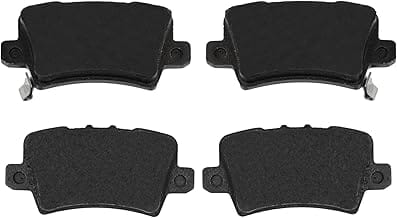
Top How To Change Brake Pads On Honda Civic 2020 – Our Picks
Related: Wheel Bearing vs Brake Rotor Noise: How to Tell the Difference
Related: Brake Caliper Rebuild vs Replace: Which Is Better?
Related: Brake Light On But Brakes Work Fine: Why?
Related: Brake Fluid Color Chart: What Each Color Means
Related: Brake Fluid Leak Diagnosis: How to Find the Source Like a Pro
Related: ABS Brake Brake Bleeding Procedure: Special Steps Needed
Related: Anti-Squeal Brake Shims: Do They Really Stop Brake Noise?
Related: Brake Warning Light On Dashboard: What It Means
Related: Front Brakes Locking Up — Here’s What’s Really Going On
Related: Brake Squeal When Stopping: Causes & Solutions
Related: Brake Caliper Piston Seal Kit: Rebuild Procedure
Related: Brake Bleeding Methods: Gravity, Pressure, Vacuum — Which One Actually Works?
Related: How to Check Brake Fluid Level: Quick Guide
Related: Low Brake Fluid Symptoms: Warning Signs
Related: Brake Fluid Moisture Contamination: Problems & Fix
Related: Gravity Brake Bleeding: Easiest DIY Method
Related: Pressure Bleeder for Brake Flush: How to Use
Related: Vacuum Brake Bleeding Tool: Worth Buying?
Related: Brake Bleeding Sequence: Correct Order by Vehicle (RR LR RF LF Explained)
Related: How to Compress a Brake Caliper: The Ultimate Piston Tool Guide
Related: Brake Caliper Slide Pin Maintenance: Lubrication Guide
Related: Brake Line Fitting Types: Metric vs SAE Flares
Related: Brake Grinding Noise: Metal-on-Metal Sound Fix
Related: New Brake Pads Squeaking: Break-In or Problem?
Related: Soft Brake Pedal After Bleeding: Common Mistakes
Related: Air in Brake Lines: Symptoms and Removal
Related: Brake Pedal Goes to Floor: Emergency Diagnosis
Related: Pulsating Brake Pedal: Vibration When Braking
Related: Rear Brakes Locking Up: Common Causes
Related: Brake Backing Plate Bent: Scraping Noise Fix
Related: Brake Smell After Driving: Burning Odor Causes
Related: Brake Fade: Loss of Braking Power Explained
Related: Brake Rotor Damage from Grinding: Can It Be Fixed?
Related: Brake Caliper Won’t Compress: Stuck Piston Fix
Related: One Brake Pad Wearing Faster: Uneven Wear Causes
Related: Brake Noise After Tire Rotation: Why It Happens
Related: Loose Brake Caliper Bolts: Dangerous Rattle
Related: Brake Pad Anti-Rattle Clips: Installation & Purpose
Related: Brake Booster Failure Symptoms: Hard Pedal & More
Related: Brake Booster Vacuum Leak: Hissing Sound Diagnosis
Related: Brake Dust Shield Rubbing on Rotor: Quick Fix
Related: Brake Noise Over Bumps: Clunking & Rattling
Related: Sticky Brake Caliper Symptoms: Diagnosis Guide
Related: Electronic Brake Force Distribution (EBD): Explained
Related: Brake Fluid Level Sensor Faulty: False Warning
Related: Brake Fade on Mountain Roads: Prevention Tips
Related: brake pedal hard diagnosis
Related: brake rotor warping causes
Related: brake pad glazing
Related: brake rotor materials explained
Related: brake rotor resurfacing
Related: brake light stays on
Related: brake lights not working
Related: drum to disc brake conversion
Related: brake rotor temperature range
Related: brake fluid temperature range