Brake Rotor Resurfacing vs Replacement: Resurface or Repl…
Your car shakes when you brake. The steering wheel pulses at highway speed. You’re parked outside wondering — do I need new brake rotors, or can these still be saved?
I’ve answered this question hundreds of times in my shop. Most people overthink it. The decision comes down to three simple measurements. I’ll show you how to make the right call — yourself.
Brake Rotor Resurfacing vs Replacement: What’s the Difference?
Resurfacing — also called “turning” or “machining” brake rotors — means a shop mounts your existing rotor on a brake lathe. It shaves off a thin layer, usually 0.005 to 0.015 inches per side. The result is a smooth, flat surface again.
Replacement means the old rotor comes off and a new one goes on.
Both fix the same problem. The question is which one makes sense for your specific rotor right now.
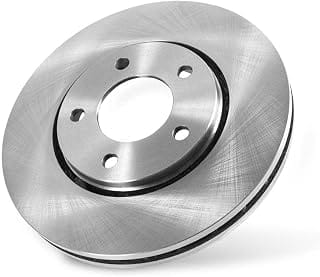
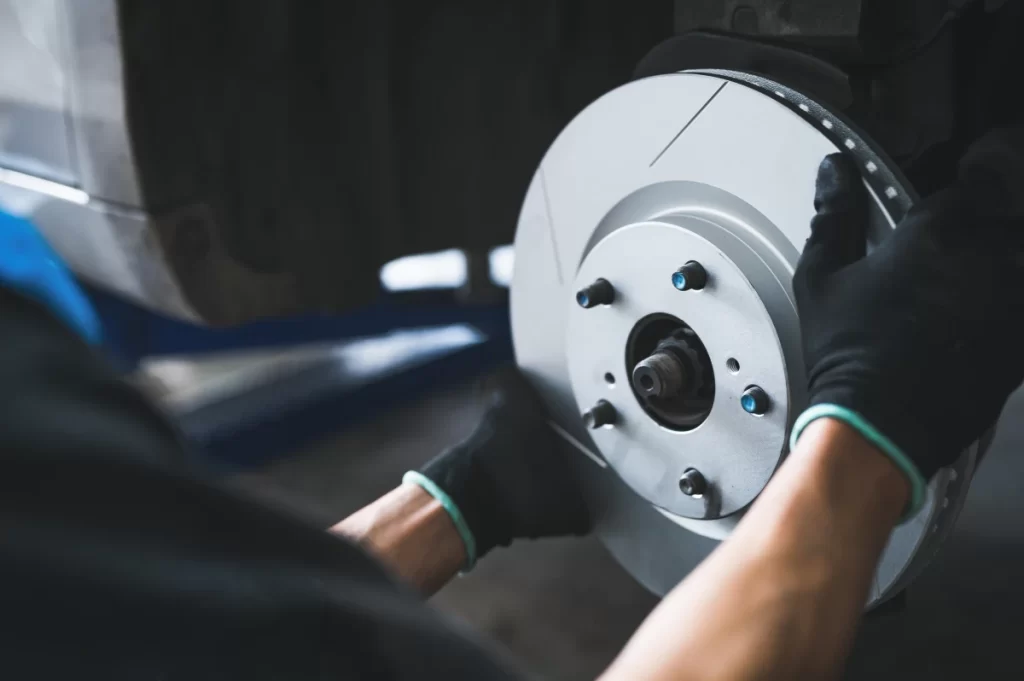
The single most important number: minimum rotor thickness. Every rotor has it stamped on the hat — the raised center section. On most midsize sedans, the front rotor minimum is around 22.4 mm. That number decides everything.
When to Resurface Brake Rotors Instead of Replacing Them
Resurfacing makes sense when all three conditions are true.
1. Rotor thickness stays at least 0.5 mm above minimum after the cut.
Say your rotor measures 23.2 mm and the minimum is 22.4 mm. A 0.25 mm cut per side leaves you at 22.7 mm — that’s safe. But if you’re already at 23.0 mm, that same cut puts you at 22.5 mm. That’s dangerously close to the limit.
2. Lateral runout is 0.002 inches or less.
Runout is how much the rotor wobbles as it spins. Above 0.004 inches, you’ll still feel pedal pulsation — even after a perfect machine job.
3. Surface damage is mild.
Light scoring and uneven brake pad deposits are fine. Deep grooves or heat cracks are not.
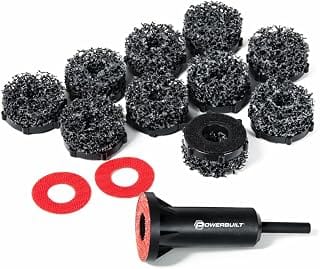
Pro tip most people miss: Before measuring runout, clean the hub face with a 3M Roloc disc. I’ve seen 0.001 inches of rust scale create 0.003 inches of false runout. A clean hub gives you an accurate reading.
When to Replace Brake Rotors Completely
Skip resurfacing and go straight to new rotors in these situations:
- Rotor thickness is at or below minimum — there’s nothing safe to cut
- Heat cracks longer than 1 mm appear on the friction surface
- Lateral runout stays above 0.004 inches even after cleaning the hub
- Hard spots are visible — dark bluish circles on the surface that no lathe can remove
That last one catches people off guard. Many newer SUVs with large 350 mm rotors develop hard spots from overheating. Machining won’t fix them. I’ve had customers return twice after resurfacing, still complaining of steering wheel shake. New rotors solved it both times — immediately.
Brake Rotor Resurfacing Cost vs Replacement Cost (2026)
| Service | Parts Cost | Labor | Total (Front Axle) |
|---|---|---|---|
| Resurface rotors | $30–$50 | $80–$150 | $110–$200 |
| Replace (Aftermarket) | $90–$240 | $80–$150 | $170–$390 |
| Replace (Dealer OEM) | $200–$400 | $150–$250 | $350–$650 |
DIY replacement runs $180–$300 for both front rotors when you supply the labor yourself. Resurfacing at home isn’t realistic — a quality brake lathe costs around $900.
My honest take: aftermarket rotors from brands like Raybestos or Bosch perform well for everyday driving. OEM pricing is worth it for performance vehicles or when exact factory specs matter.
How to Replace Brake Rotors — Step-by-Step (DIY Guide)
Here’s exactly how I do it every time:
- Loosen the lug nuts with a 19 mm socket before jacking the car up
- Raise and support the vehicle on jack stands — minimum 3-ton rated
- Remove the caliper bolts with a 14 mm wrench, then hang the caliper with wire — never let it hang by the brake hose
- Remove the bracket bolts with a 17 mm socket
- Slide off the old rotor — tap with a 2 lb hammer if rust has it stuck; wear eye protection
- Clean the hub face with a Roloc disc before the new rotor goes on
- Install the new rotor, reinstall bracket and caliper, then torque lug nuts to 89 ft-lbs in a star pattern using a calibrated torque wrench
One more thing I always tell people: apply a thin film of anti-seize on the hub face only — not on the wheel studs. Too much anti-seize on the studs changes effective torque and can cause runout later.
Why Brake Rotor Torque Specs Matter
This is where most DIY brake jobs go wrong. Uneven or excessive torque — especially from an impact gun set too high — slightly distorts the rotor. As the wheel heats and cools, that distortion grows. Within a few thousand miles, it becomes pedal pulsation.
Always use a calibrated torque wrench. Tighten in a star pattern. Target 85–100 ft-lbs depending on your vehicle’s spec. If you use an impact gun, dial it to the correct torque — don’t just blast the lug nuts on.
Should You Resurface or Replace Rotors? Final Verdict
Resurfacing saves $60–$120 per axle. It makes perfect sense when the numbers support it. But if your rotors are near minimum thickness, high-mileage, or showing hard spots — just replace them. The extra $80–$100 buys you full thermal mass, full rotor thickness, and peace of mind.
Measure first. Cut once. Torque correctly. Brakes are the one system on your car that can’t afford a second visit.
Frequently Asked Questions About Brake Rotor Resurfacing & Replacement
Can you resurface one rotor and replace the other?
No. Always service both rotors on the same axle together. Mismatched thickness or friction surfaces cause uneven braking and brake pull — which is both unsafe and annoying.
How long do resurfaced brake rotors last?
Done correctly, resurfaced rotors typically last another 30,000–50,000 miles. If they were already close to minimum thickness before the cut, expect a shorter service life.
Is it safe to drive with pulsating brakes while waiting for parts?
You can drive carefully at low speeds for a short time. But pulsation means braking performance is already compromised. Don’t put it off — especially on a vehicle you drive daily.
Does resurfacing brake rotors void the warranty?
On newer vehicles still under manufacturer warranty, check your owner’s manual first. Some automakers require OEM replacement parts to maintain brake system warranty coverage.
What is the minimum brake rotor thickness before replacement?
Minimum thickness varies by vehicle. It’s stamped directly on the rotor hat. On most midsize sedans, front rotors have a minimum around 22.4 mm. Never cut a rotor below its stamped minimum — and leave at least 0.5 mm of safety margin after machining.
How much does it cost to resurface brake rotors in 2026?
Brake rotor resurfacing typically costs $110–$200 for a front axle in 2026, including labor. Replacing with aftermarket rotors runs $170–$390. OEM dealer replacement ranges from $350–$650 for the front axle.
Top Brake Rotor Resurfacing Vs Replacement – Our Picks